
 QUICK &

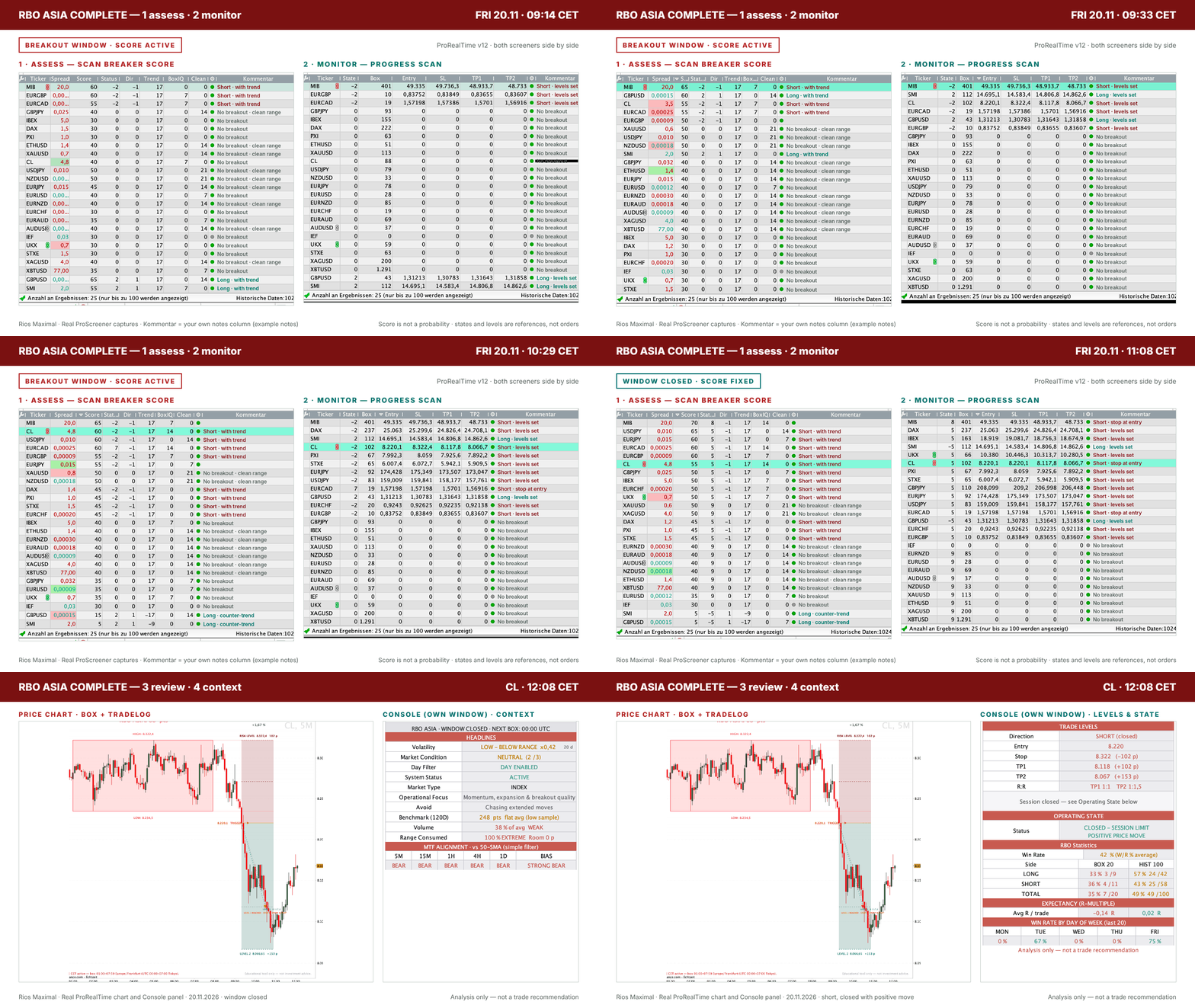 Full monitoring workflow · Instrument-level context · Session statistics
RBO Asia Scan Breaker Score and RBO Asia Progress Scan cover the review of your compatible instrument list: they help organise which setups to review first and follow their state during the session. But while you work on one instrument’s chart, that list-level view says little about what is in front of you at that moment — multi-timeframe trend alignment, market type, today’s setup quality against its own history, or how the same methodology behaved in comparable situations.
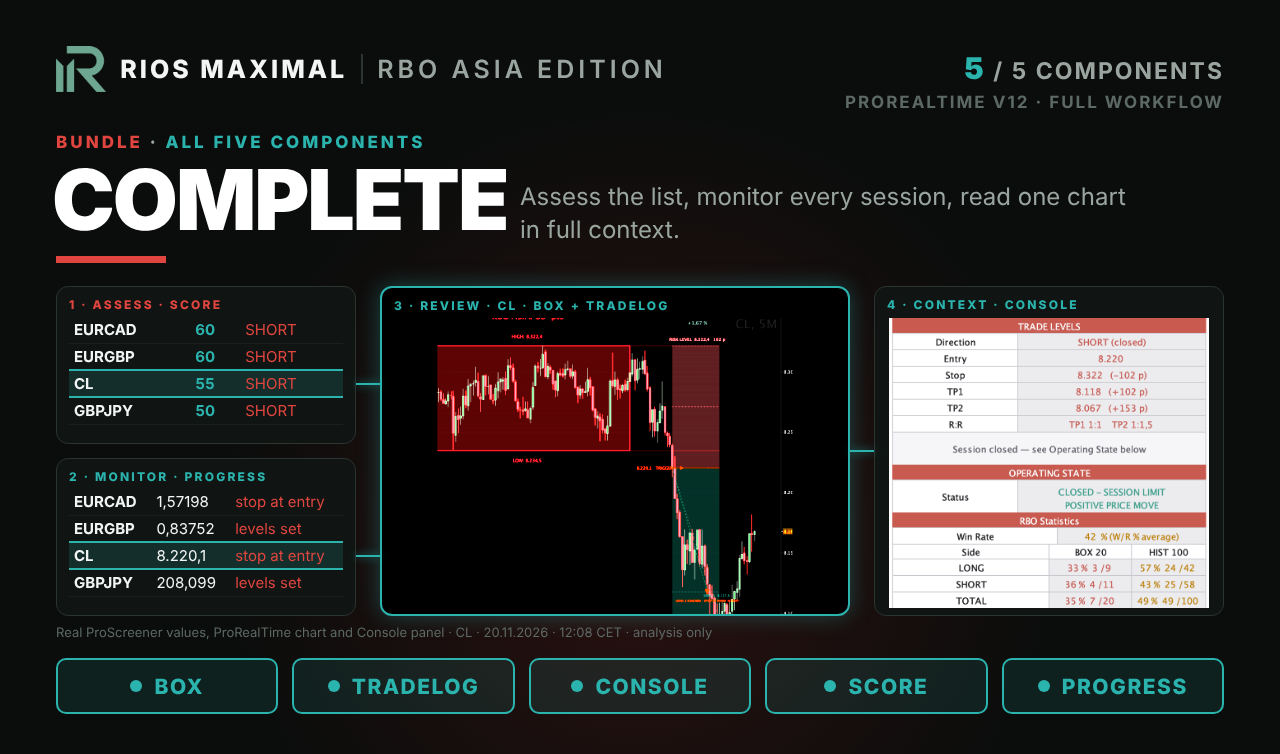
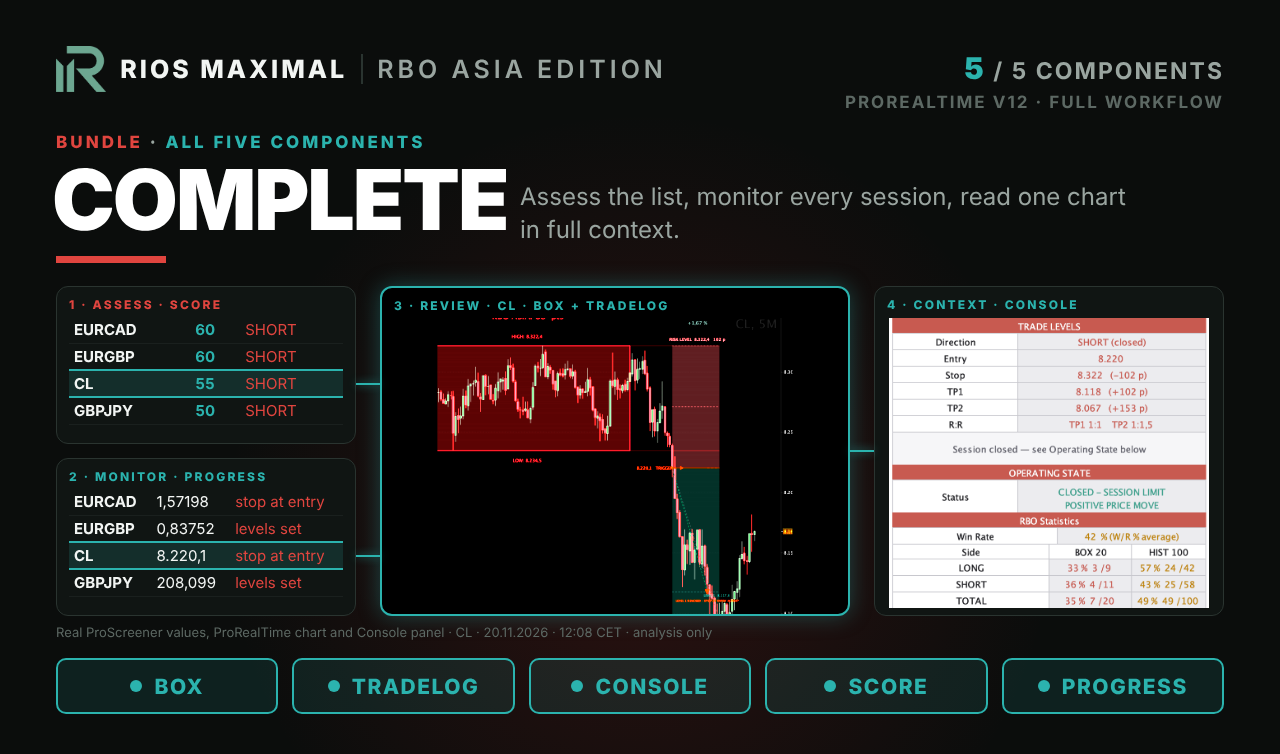
RBO Asia Complete adds RBO Asia Console — Market Context & Session Statistics — to the full monitoring workflow. It is the package for users who follow a compatible instrument list and, at the same time, want the full technical and statistical context of the instrument currently open on the chart — without switching tools or manually reconciling what a screener shows with what the chart shows.
How the five components fit into one session
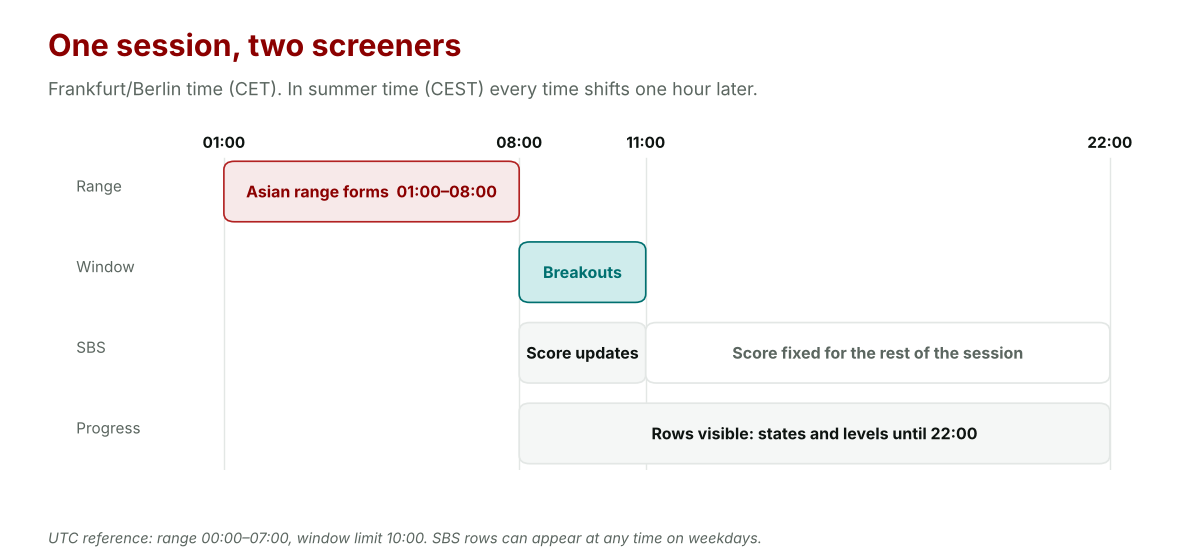
Range formation — 01:00–08:00 CET (02:00–09:00 CEST)
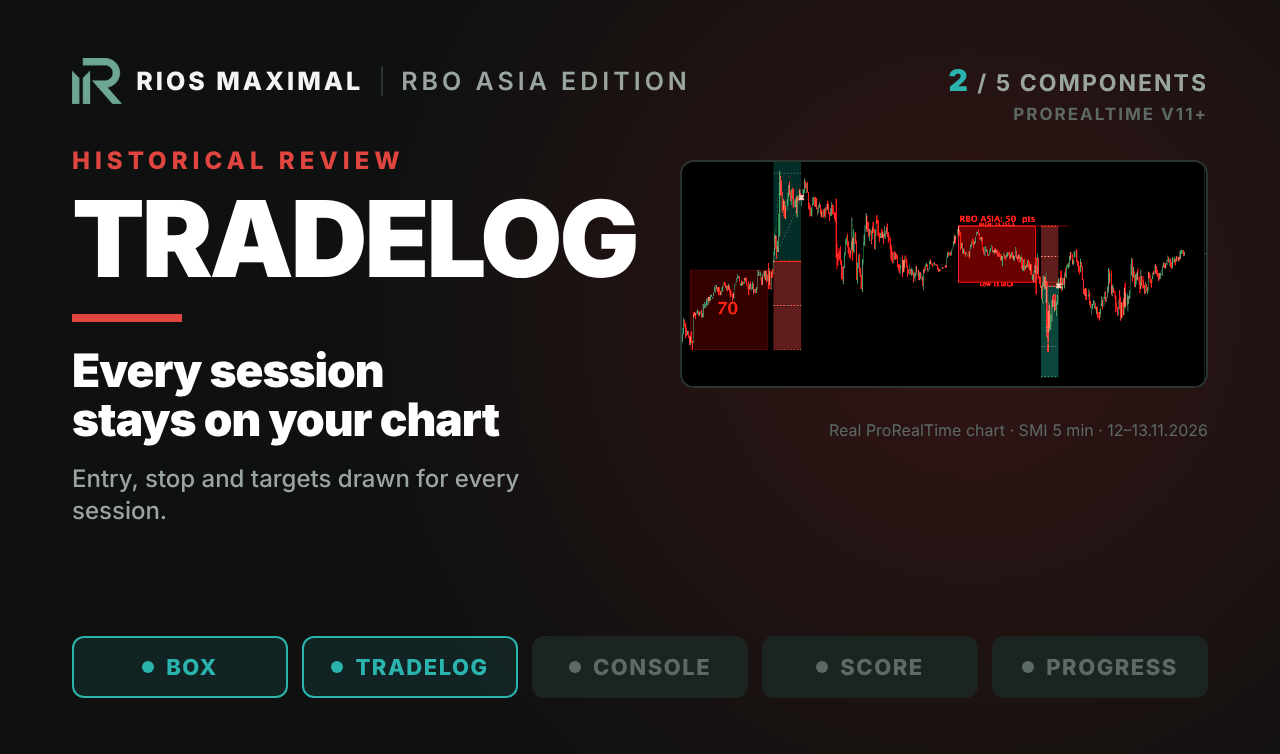
On the open chart, RBO Asia Box draws the range as it forms and then completes it with its exact size and its high and low levels.
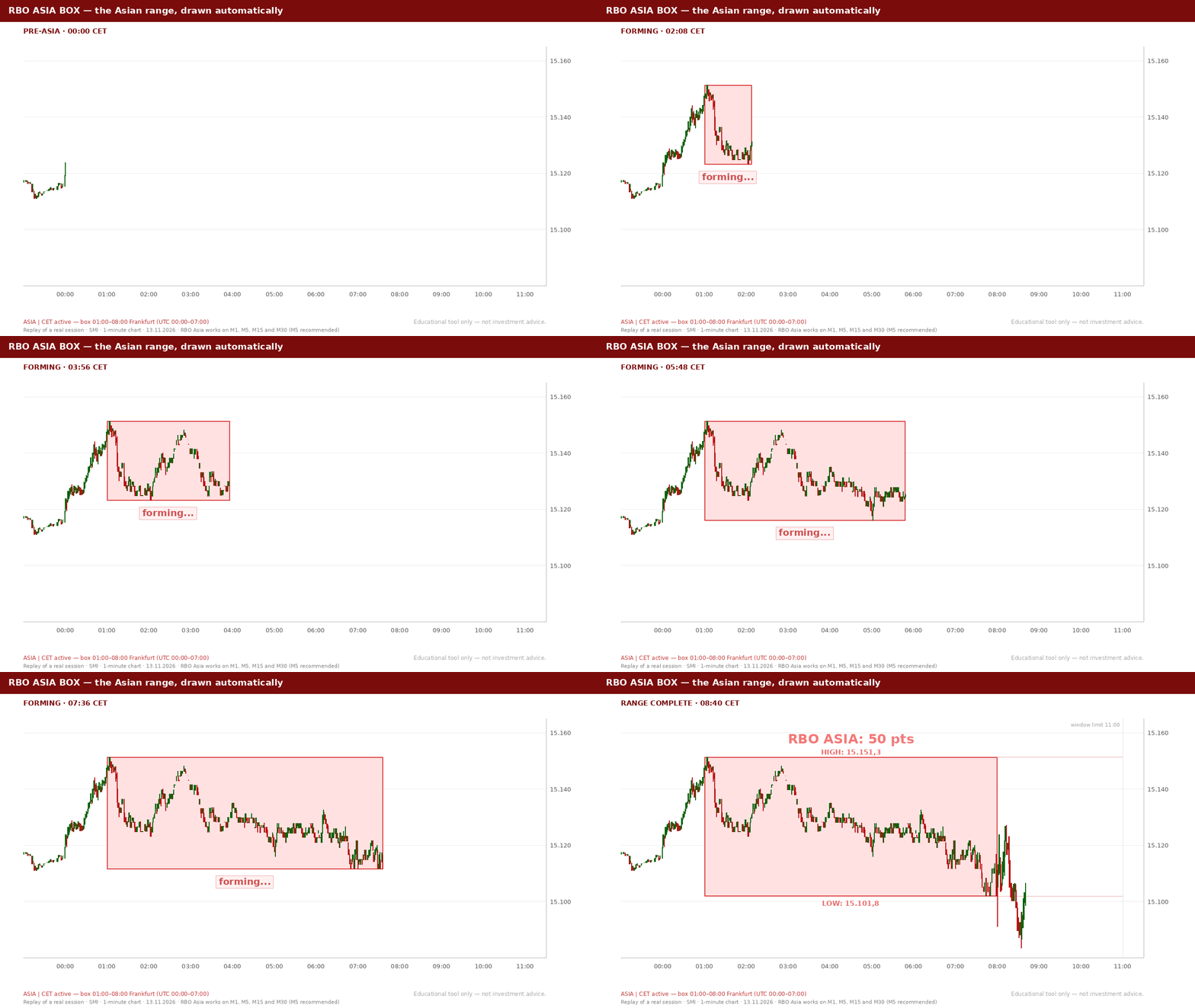
RBO Asia Box: range formation 01:00–08:00 CET and completed levels. Replay of a real session (SMI, 1-minute chart, 13.11.2026).
Breakout window — 08:00–11:00 CET (09:00–12:00 CEST)
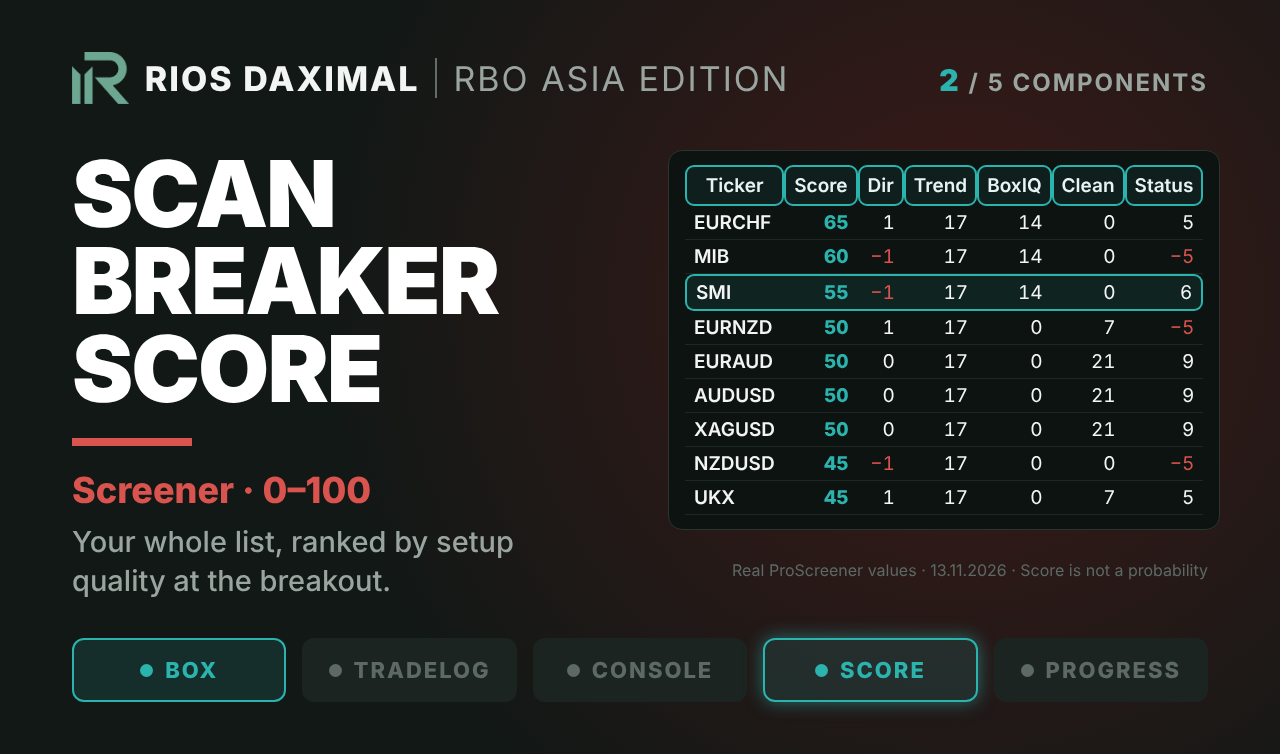
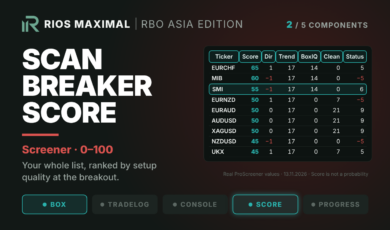
In RBO Asia Scan Breaker Score you see, in one table, the 0–100 rating of each instrument on your compatible list, and which ones to review first.
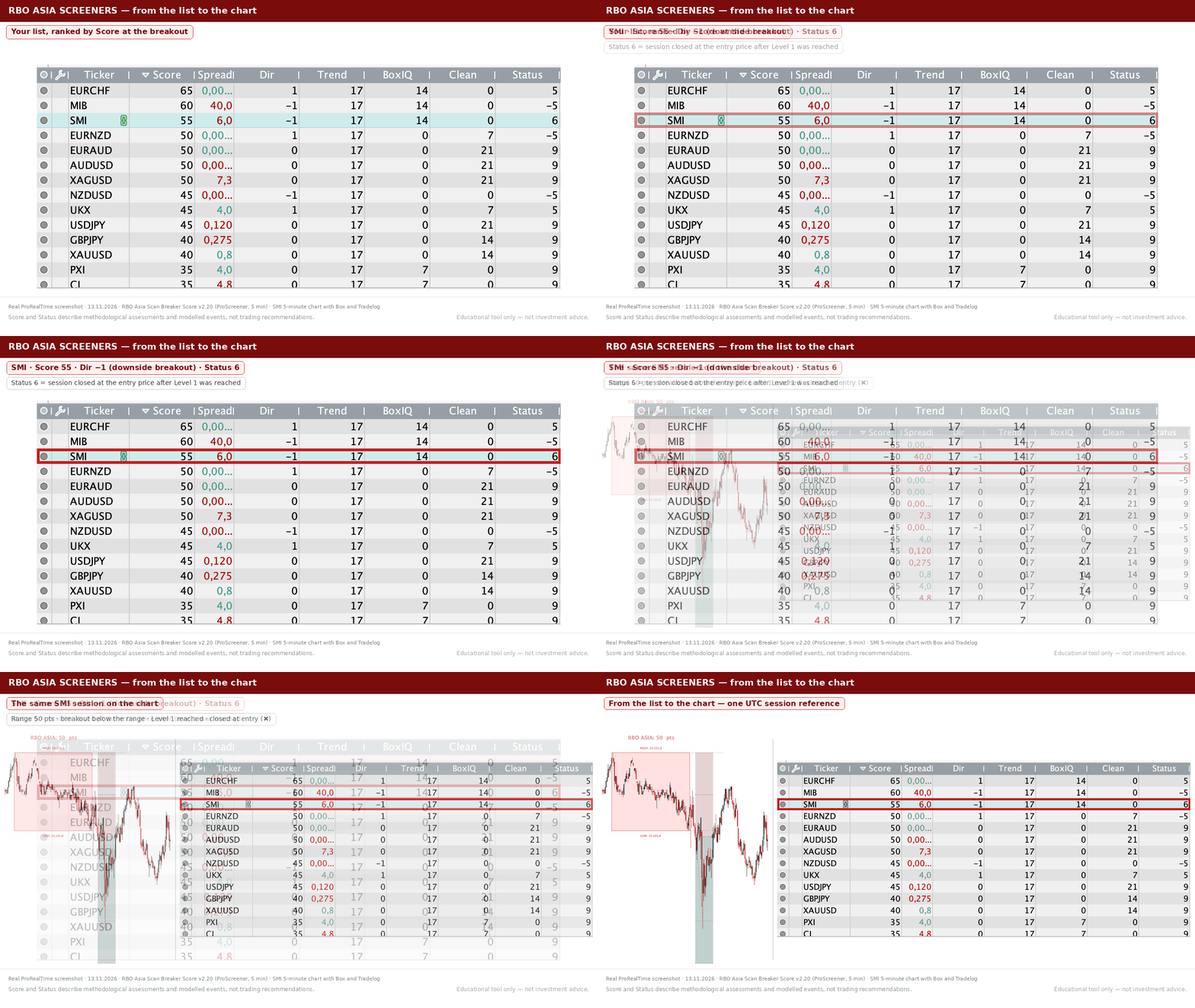
RBO Asia SBS in a ProScreener window: SMI row (Score 55, Dir −1, Status 6) and the corresponding chart. Real ProRealTime screenshot, 13.11.2026; percentage badge masked.
Inspect one instrument
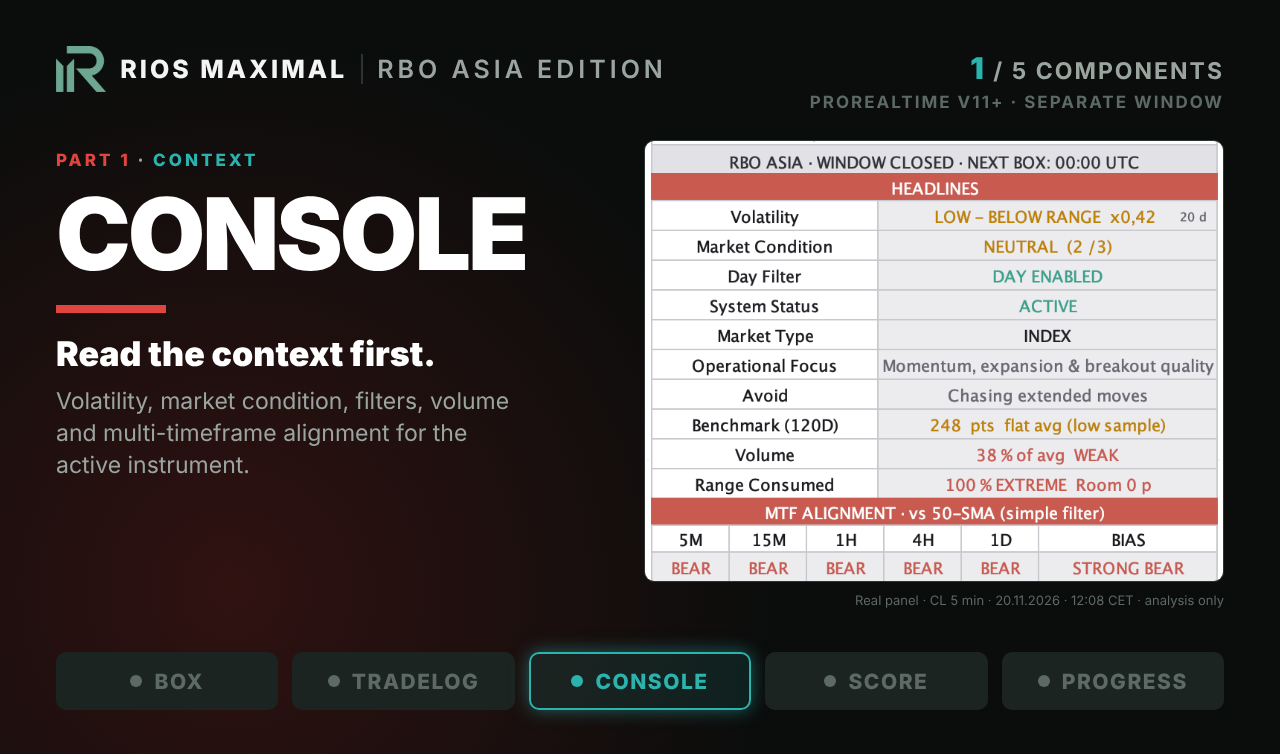
You open one of those instruments on the chart. There, RBO Asia Console already shows its technical context: trend alignment on 5M, 15M, 1H, 4H and 1D with its combined Bias reading, market type and operational focus label, today’s Setup Quality against its own history, and the exact phase of the modelled operation (Operating State) — without looking for each item separately.
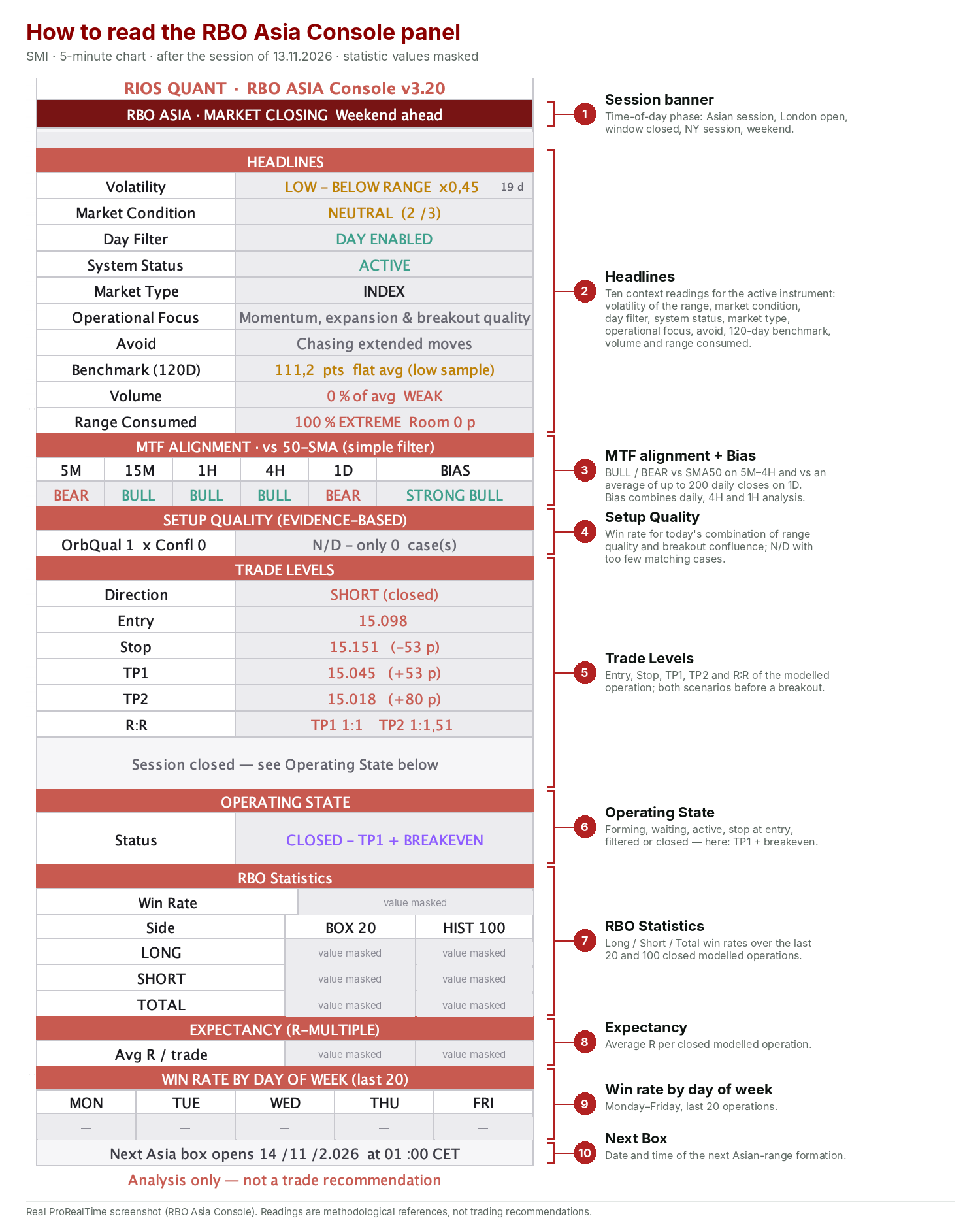
RBO Asia Console: how to read the panel. Real ProRealTime screenshot (SMI, 5-minute chart, session of 13.11.2026); statistic values masked.
Rest of the session
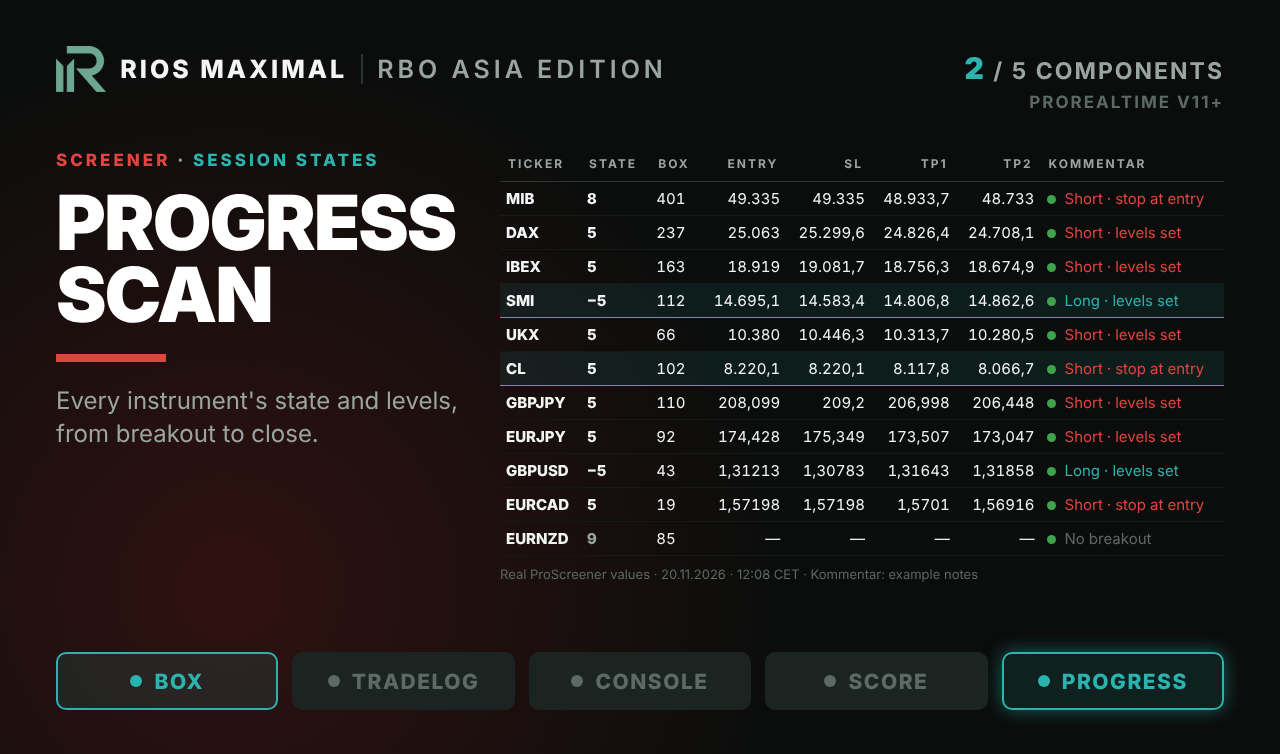
RBO Asia Progress Scan stays open in a second window: it shows the phase of each instrument on your list — active, level reached, closed or excluded.
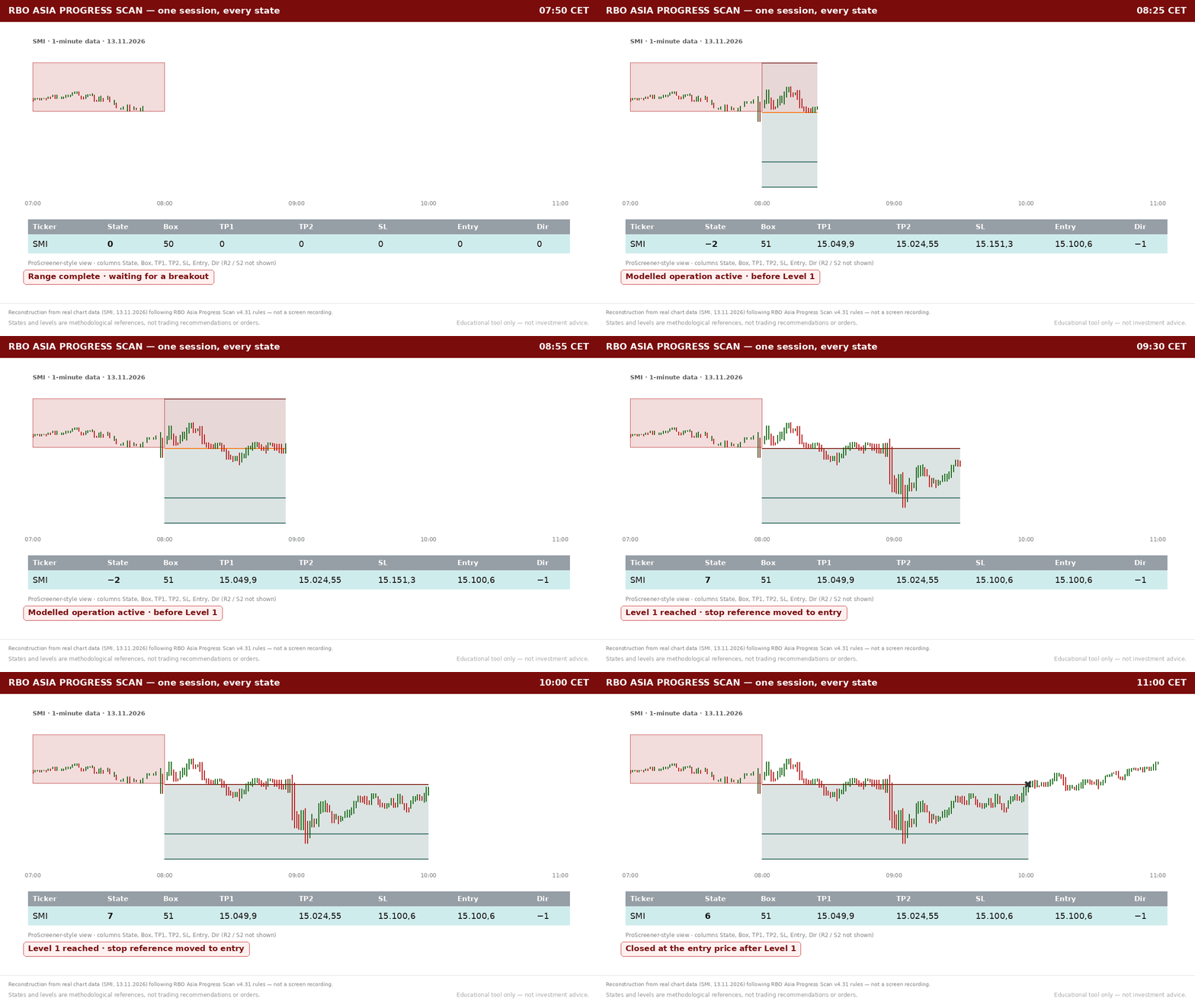
RBO Asia Progress Scan row through one session: range, breakout (−1), active (−2), TP1 reached with stop at entry (7), closed at entry (6). Reconstruction from real chart data (SMI, 13.11.2026) — not a screen recording.
After the session
On the same chart, RBO Asia Console has updated its statistics — Long, Short and Total win rate over 20 and 100 closed modelled operations, the win rate for today’s setup combination and the day-of-week breakdown — while RBO Asia Tradelog marks on the chart how the day resolved.
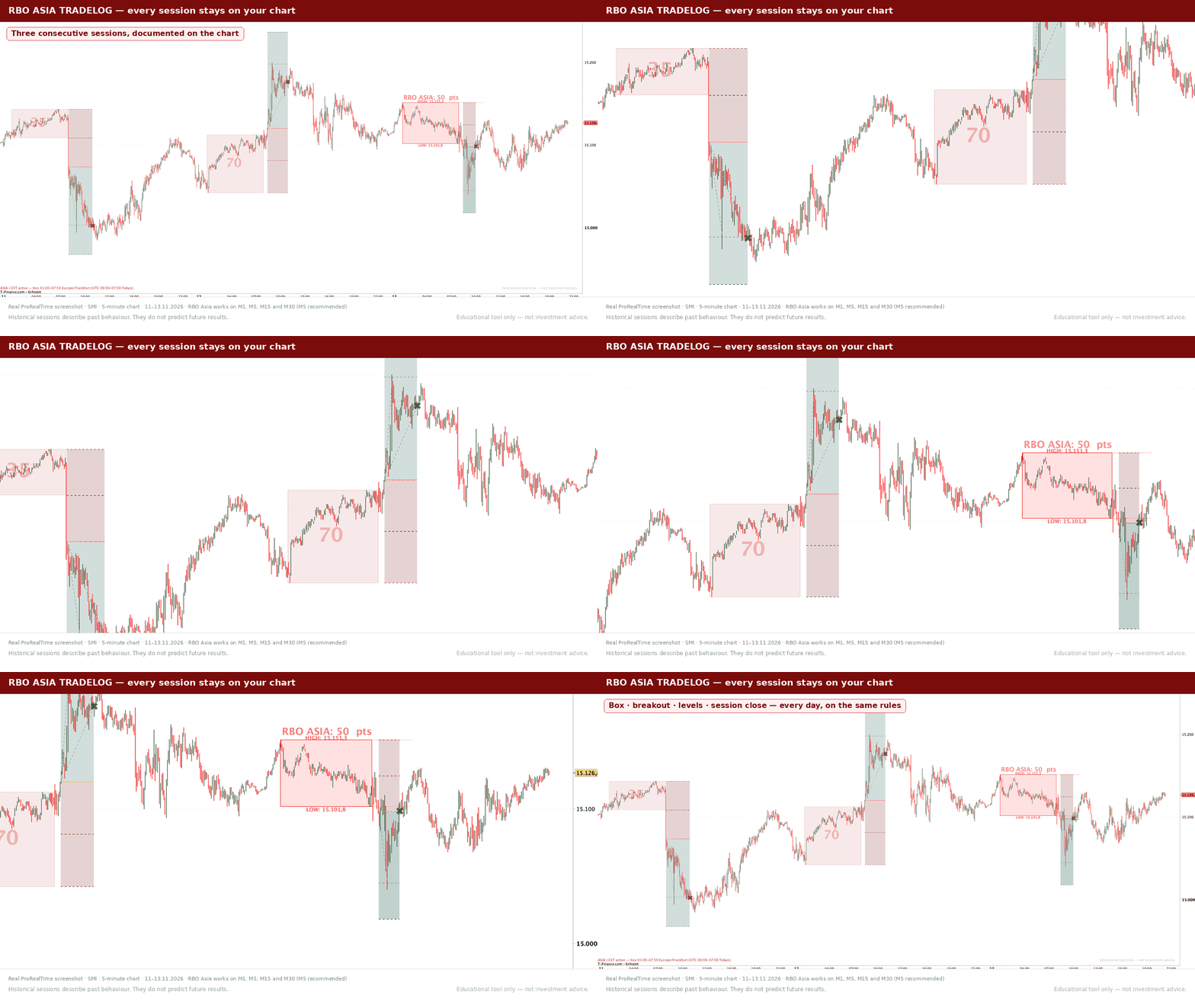
Three consecutive sessions documented on the chart. Real ProRealTime screenshot (SMI, 5-minute chart, 11–13.11.2026).
The five components follow the documented RBO Asia session methodology. Each tool performs its own role: Box visualises the range, the Screeners review the instrument list, Tradelog documents the session on the chart, and Console independently calculates the technical and statistical context of the active instrument. This coordinated workflow does not imply direct data transfer between indicators.
What the bundle includes
RBO Asia Complete combines three packages: Starter (RBO Asia Box and RBO Asia Tradelog), Screeners (RBO Asia Scan Breaker Score and RBO Asia Progress Scan) and Console — Market Context & Session Statistics — a fixed panel for the active instrument, with:
| Panel section | Information |
|---|---|
| Headlines | Volatility, market condition, day filter, system status, market type, operational focus, avoid, 120-day benchmark, volume and range consumed |
| Multi-timeframe alignment + Bias | BULL / BEAR on 5M, 15M, 1H and 4H against a 50-period simple moving average and on 1D against an average of up to 200 daily closes, plus a separate combined Bias reading |
| Setup Quality | Historical win rate for today’s combination of range quality and breakout confluence |
| Trade Levels | Direction, Entry, Stop, TP1, TP2 and R:R of the modelled operation |
| Operating State | Exact phase of the current operation or its closing state |
| RBO Statistics | Long, Short and Total win rate over samples of 20 and 100 closed modelled operations |
| Expectancy and Win Rate by Day of Week | Additional historical readings |
What this bundle is not
The same limits as RBO Asia Monitor, extended to Console: no component of this bundle issues signals, executes orders, manages positions or replaces the user’s judgement. Each screen describes a technical state or a methodological reference — the decision always remains yours.
Requirements
- ProRealTime v11 or later for RBO Asia Box, RBO Asia Tradelog and RBO Asia Console.
- ProRealTime v12 or later to keep RBO Asia Scan Breaker Score and RBO Asia Progress Scan open at the same time in two independent ProScreener windows — the workflow this bundle is designed for.
- Recommended timeframe: 5 minutes (M5).
- Chart timezone: Europe/Berlin (summer and winter time are applied automatically).
Price and support
RBO Asia Complete — 219 € / year
Recurring 12-month subscription.
Customer support is available by email through the ProRealMarket seller contact channel for product-related questions and technical assistance.
Renewal and cancellation conditions are stated at checkout. Permanent licences already issued retain their original conditions.
Installation
Recommended layout
- Price chart: RBO Asia Box and RBO Asia Tradelog. It does not need a long history, which keeps it light for intraday analysis.
- RBO Asia Console: in a separate window on the same instrument. Adjust the number of loaded bars manually until the history covers 100 closed operations; the required amount depends on the instrument and timeframe.
Each component calculates independently. No data is passed between indicators.
Step-by-step installation guide: How to install my product in ProRealTime (official ProRealMarket guide).
Notice
RBO codes, classifications, levels and scores are calculated from configured rules and parameters. They describe technical states and methodological references; they do not constitute financial advice, personalised recommendations, buy or sell instructions or performance guarantees.
The complete RBO Asia workflow
RBO Asia Complete includes all five components. Box and Tradelog on the price chart, Console in its own window and the two screeners across your instrument list read the same session reference.
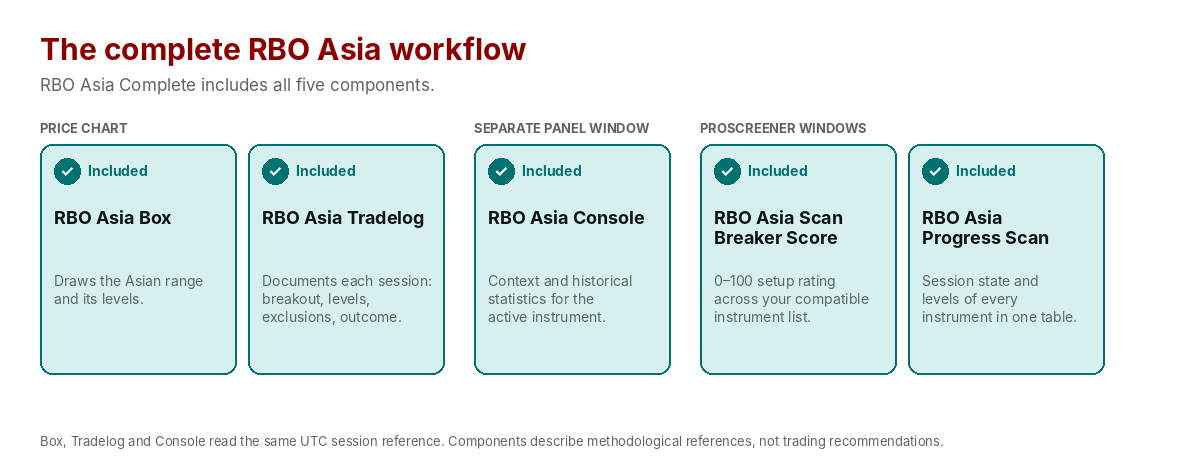
All five components are included.
Reviews
There are no reviews yet.