
 QUICK &
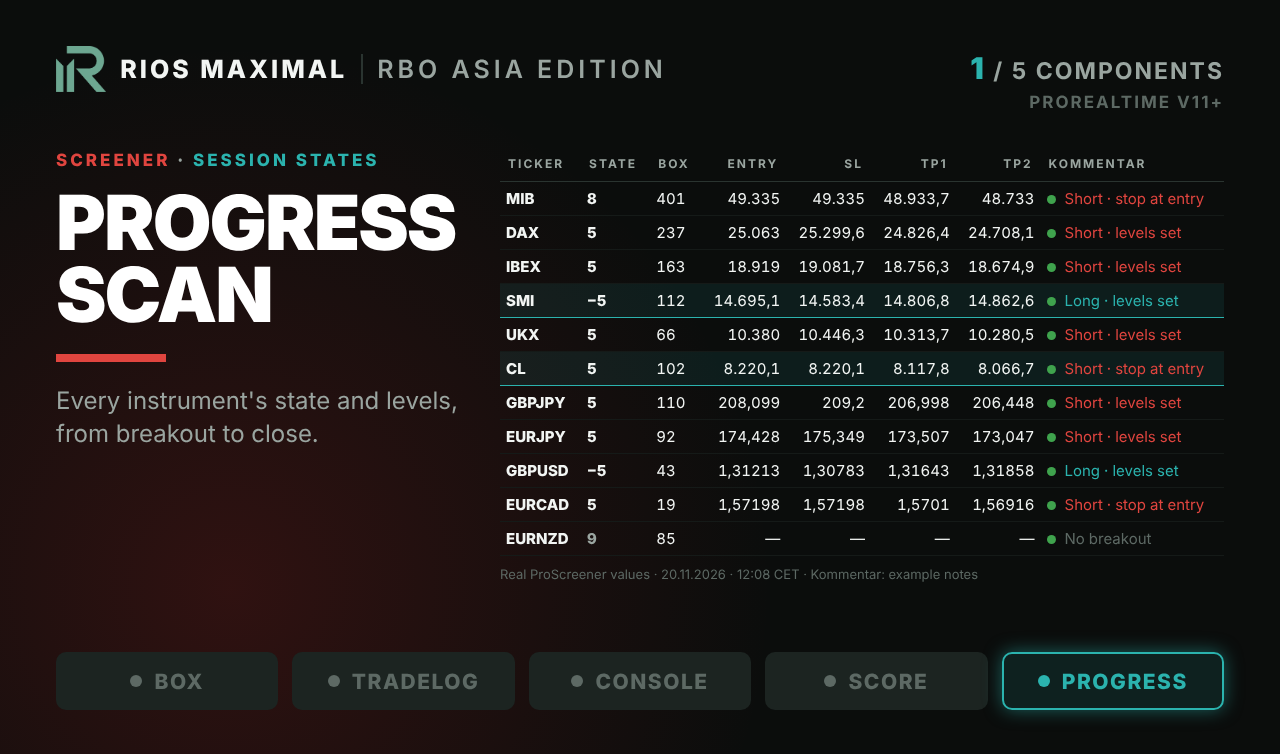

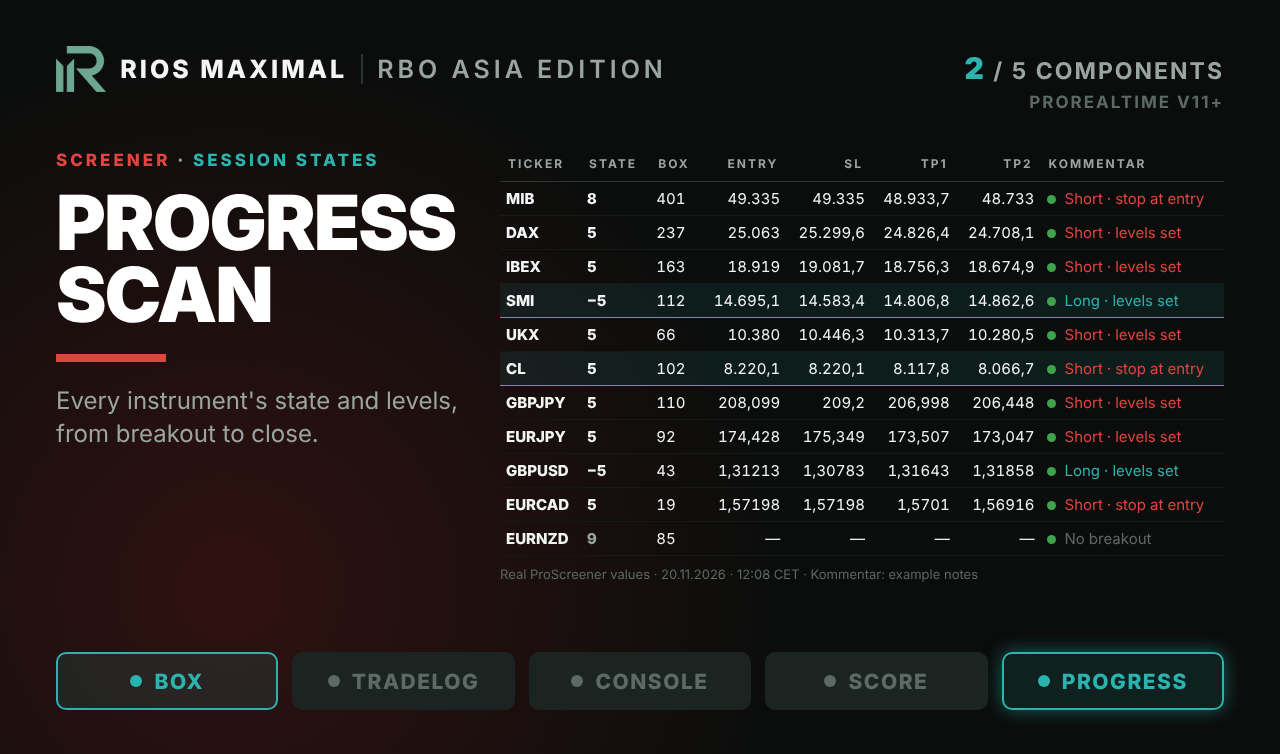
RBO Asia Progress Scan monitors rule-based Asian-session states and reference levels across a compatible ProRealTime instrument list.
A single table shows each instrument’s current state, direction and available price references — from breakout confirmation to target events, filter exclusions and session closure.
See where each session stands without opening every chart.
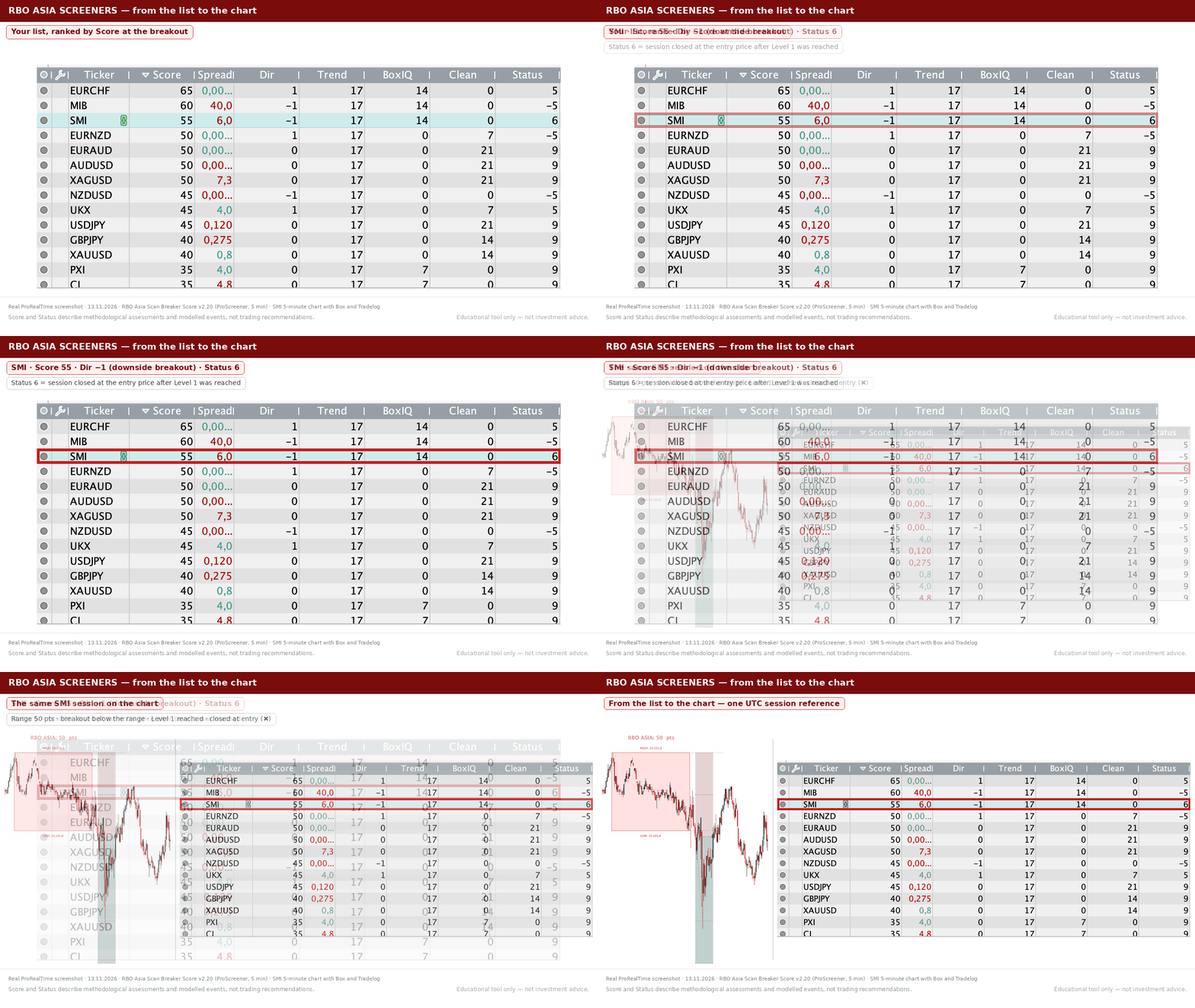
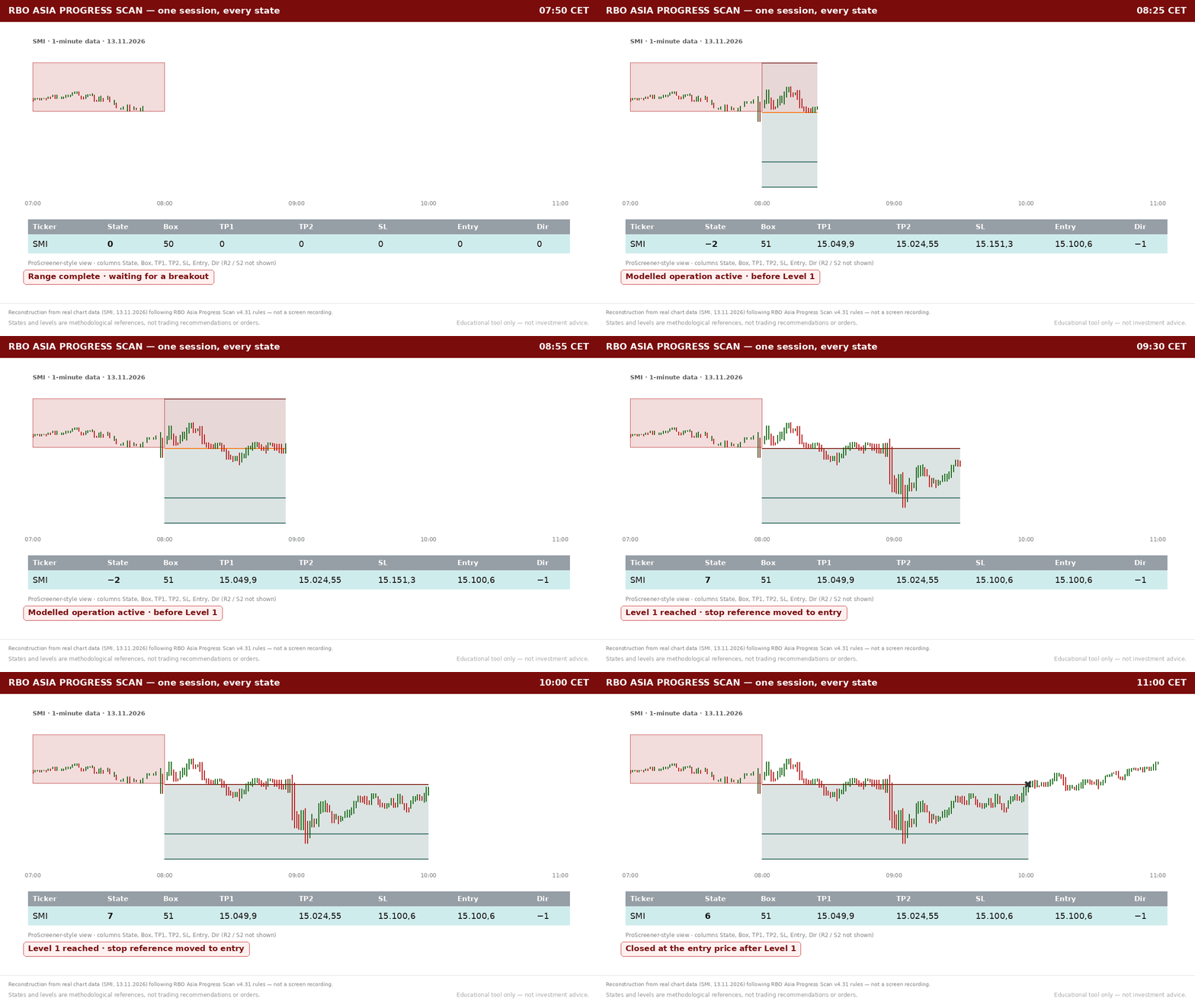
RBO Asia Progress Scan row through one session: range, breakout (−1), active (−2), TP1 reached with stop at entry (7), closed at entry (6). Reconstruction from real chart data (SMI, 13.11.2026) — not a screen recording.
Three reasons to use it
A consolidated monitoring view
Review the methodological state and available levels of multiple compatible instruments in one ProScreener table.
Monitoring beyond breakout detection
Distinguish a newly confirmed breakout from an active modelled operation, TP1 reached, a closing event or an exclusion.
State and price references together
Read Entry, SL, TP1 and TP2 alongside the current state, with R2 and S2 available as pivot context.
What the columns show
These values describe the model. The screener does not place the associated orders or monitor brokerage-account positions.
| Column | Meaning |
|---|---|
| State | Current methodological phase or closing state. |
| Box | Before the breakout: size of the day’s Asian range, in pips or points according to the instrument. After the breakout: the distance between Entry and SL. |
| TP1 | First target reference. The methodology models a half-position close and moves the remaining stop reference to Entry. |
| TP2 | Second target reference, corresponding to closure of the remaining modelled position. |
| SL | Current stop reference: initially the opposite range boundary; after TP1, Entry. |
| Entry | Modelled entry reference. Displays 0 if no breakout has occurred. |
| R2 / S2 | Pivot references for context, not entry signals. |
| Dir | Direction: 1 long, −1 short, 0 not yet established. |
State code dictionary
Direction is shown in Dir. Not every positive code means long, and not every negative code means short: several codes describe methodological events or closing states.
The technical specification defines event priority within a candle and the calculation underlying session-limit closure codes.
| Code | Methodological meaning |
|---|---|
| 0 | No activity yet. |
| 1 / −1 | Breakout confirmed on the current candle: long / short. |
| 2 / −2 | Modelled operation active; TP1 not yet reached: long / short. |
| 7 | TP1 reached. The remaining stop reference is at Entry, awaiting TP2 or SL. |
| 6 | Remaining position closed at Entry after the TP1 partial close. |
| −6 | Closed at the initial stop reference without reaching TP1. |
| 8 | TP2 reached; the remaining modelled position is closed. |
| 5 / −5 | Closed at the session limit, with / against the operation’s direction under the methodology. |
| 3 / −3 | Breakout excluded by the spike filter: long / short. |
| 4 / −4 | Breakout excluded by the pivot-proximity filter: long / short. |
| 9 | No breakout occurred before the methodological window closed. |
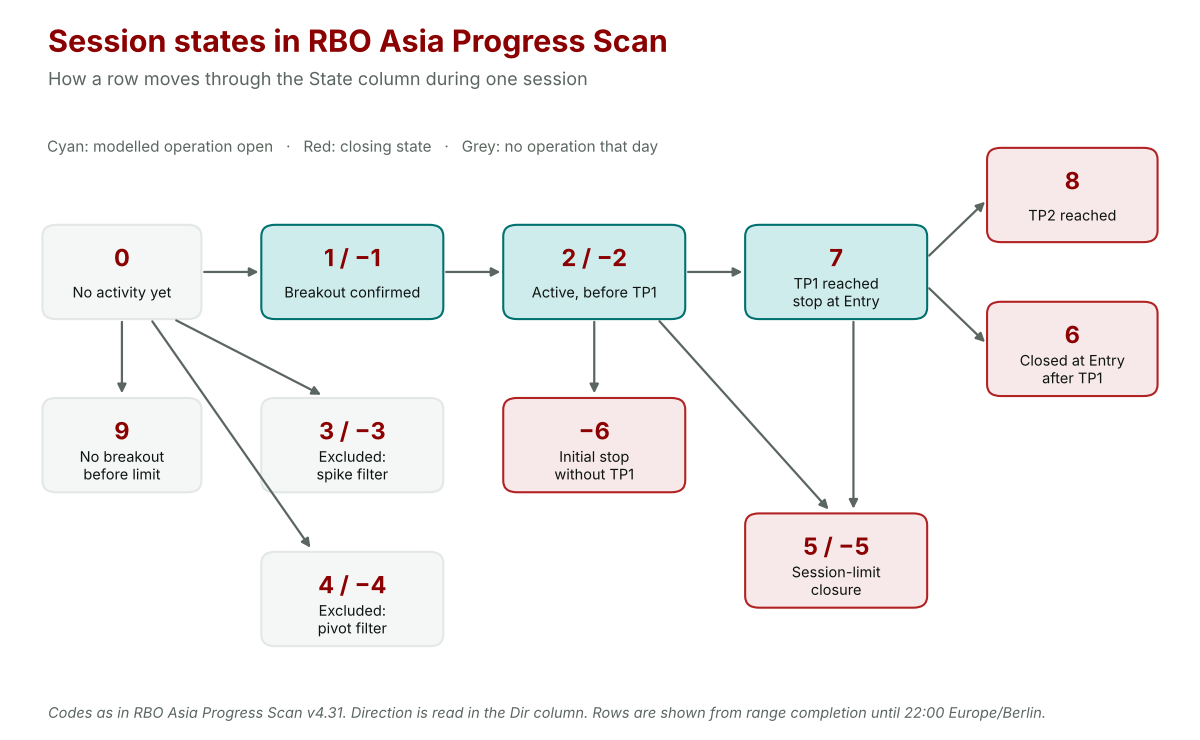
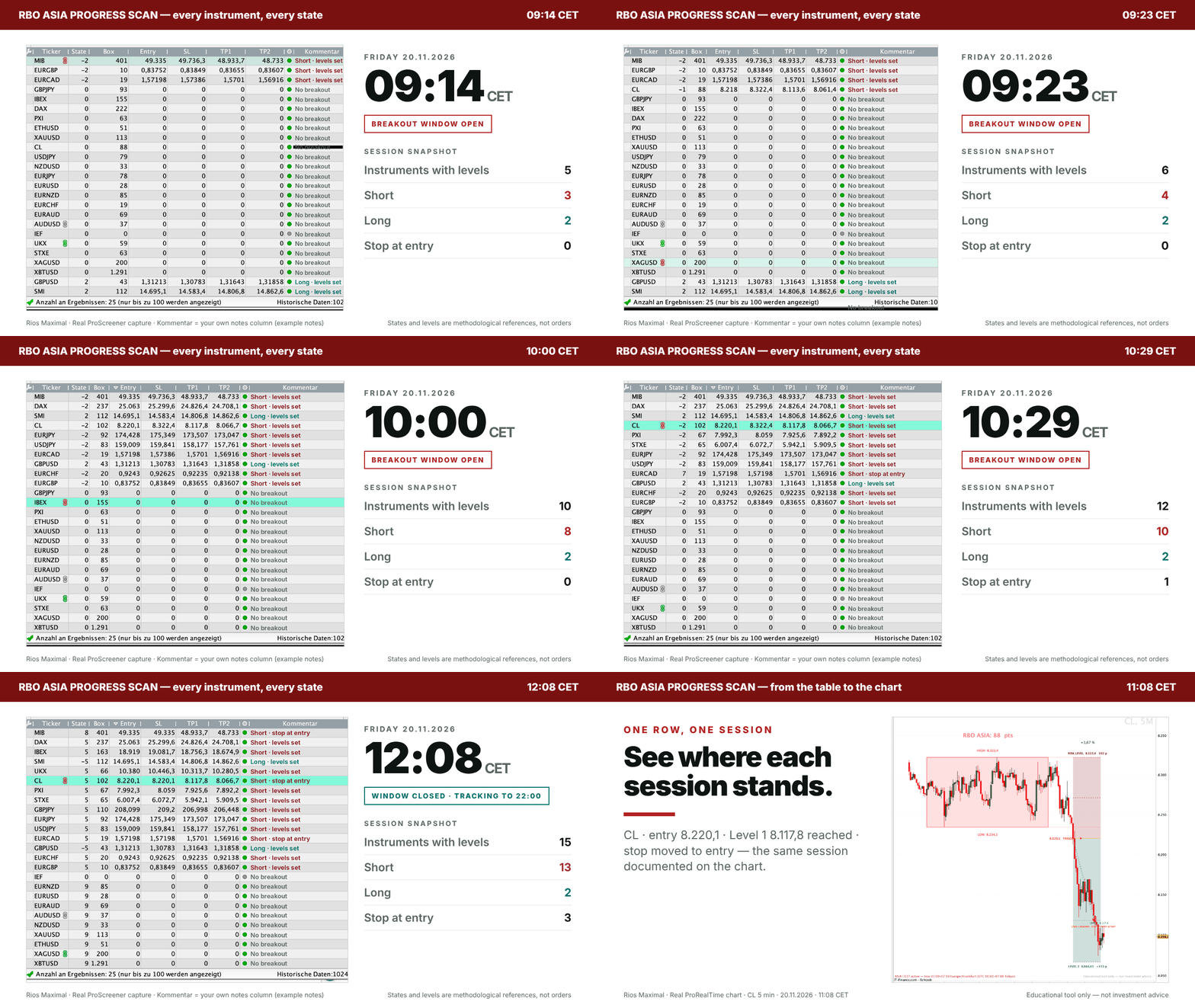
How a row moves through the State column during one session (RBO Asia Progress Scan v4.31).
Understanding TP1 and the entry-price stop reference
When TP1 is reached, the methodology models closing half the initial position and moving the stop reference for the remainder to Entry.
State 6 describes closure of that remainder at Entry after the TP1 partial close. It differs from State −6, where the initial stop reference is reached before TP1.
“Breakeven” refers only to the remaining position’s entry-price reference. It does not guarantee zero-cost or loss-free execution after spread, fees, slippage or gaps.
Session reference and table visibility
Instruments appear on weekdays from completion of the Asian range until 22:00 Europe/Berlin local time, following CET/CEST.
This display period is longer than the methodological breakout window. Continued visibility does not mean that new breakouts remain eligible.
The technical specification defines the compatible universe, screener configuration and candle-inclusion criteria.
| Reference | Range formation | Methodological window limit |
|---|---|---|
| UTC | 00:00–07:00 | 10:00 |
| Frankfurt/Berlin — CET | 01:00–08:00 | 11:00 |
| Frankfurt/Berlin — CEST | 02:00–09:00 | 12:00 |
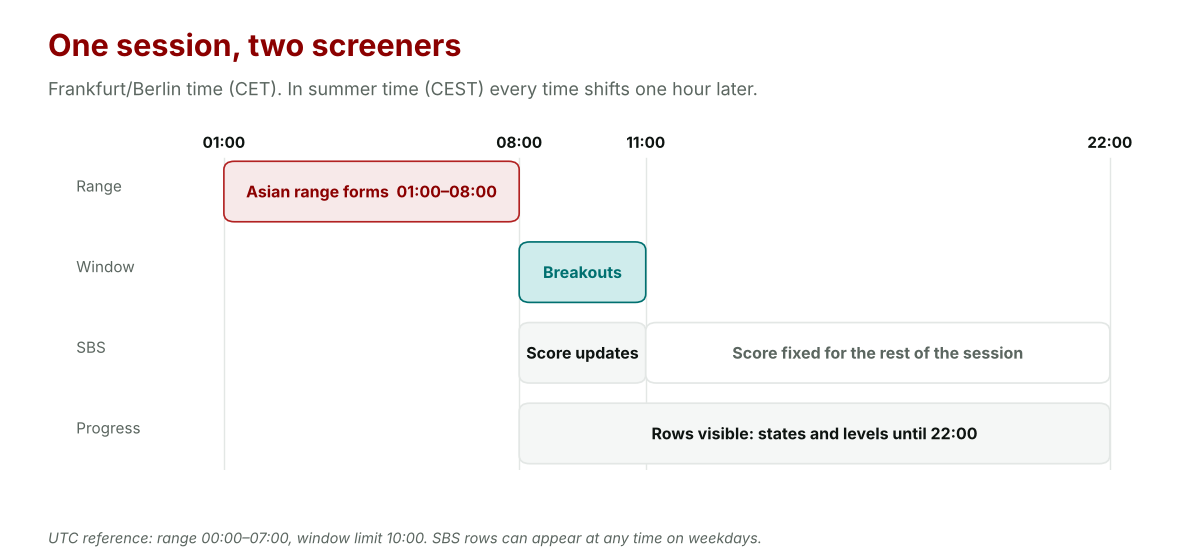
Session timeline in Frankfurt/Berlin time (CET): range, breakout window, Score fixing and Progress Scan visibility.
Requirements
- ProRealTime v11 or later to run one screener; v12 or later to run both screeners simultaneously in two ProScreener windows.
- Recommended ProScreener timeframe: 5 minutes.
- ProRealTime set to the Europe/Berlin timezone (summer and winter time are applied automatically).
Shared methodology
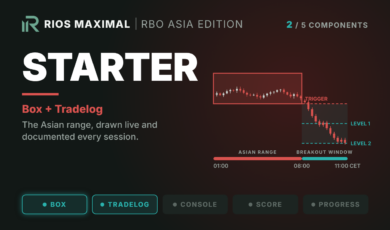
Breaker Score and Progress Scan operate independently and require no additional RBO Asia scripts. The Starter package can complement them by adding a visual session reference through the Session Box and session documentation through the Tradelog.
Package and availability
RBO Asia Progress Scan is supplied together with RBO Asia Scan Breaker Score as RBO Asia Screeners. Neither screener is sold separately.
Included:
- RBO Asia Scan Breaker Score.
- RBO Asia Progress Scan.
Tradelog and Console are not included. RBO Asia Screeners — 119 € / year Recurring 12-month subscription.
Support
For product support, use the support interface on the Rios Maximal store page in ProRealCode Market. No response or resolution deadline is promised in this listing. This does not limit any mandatory consumer rights.
Installation
Step-by-step installation guide: https://market.prorealcode.com/how-to-install-my-product-in-prorealtime/ (official ProRealMarket guide).
Risk and methodological notice
States and price references describe modelled events calculated from defined rules and market data. They are not verified brokerage transactions or account-performance records.
The software does not execute orders, allocate capital or recommend position size. A displayed SL does not guarantee a maximum monetary loss. Actual execution may differ because of spread, fees, slippage, gaps, liquidity and broker conditions.
States, reference levels and modelled outcomes do not constitute financial advice, personalised recommendations, execution instructions or a promise of results. Historical results do not guarantee future performance. 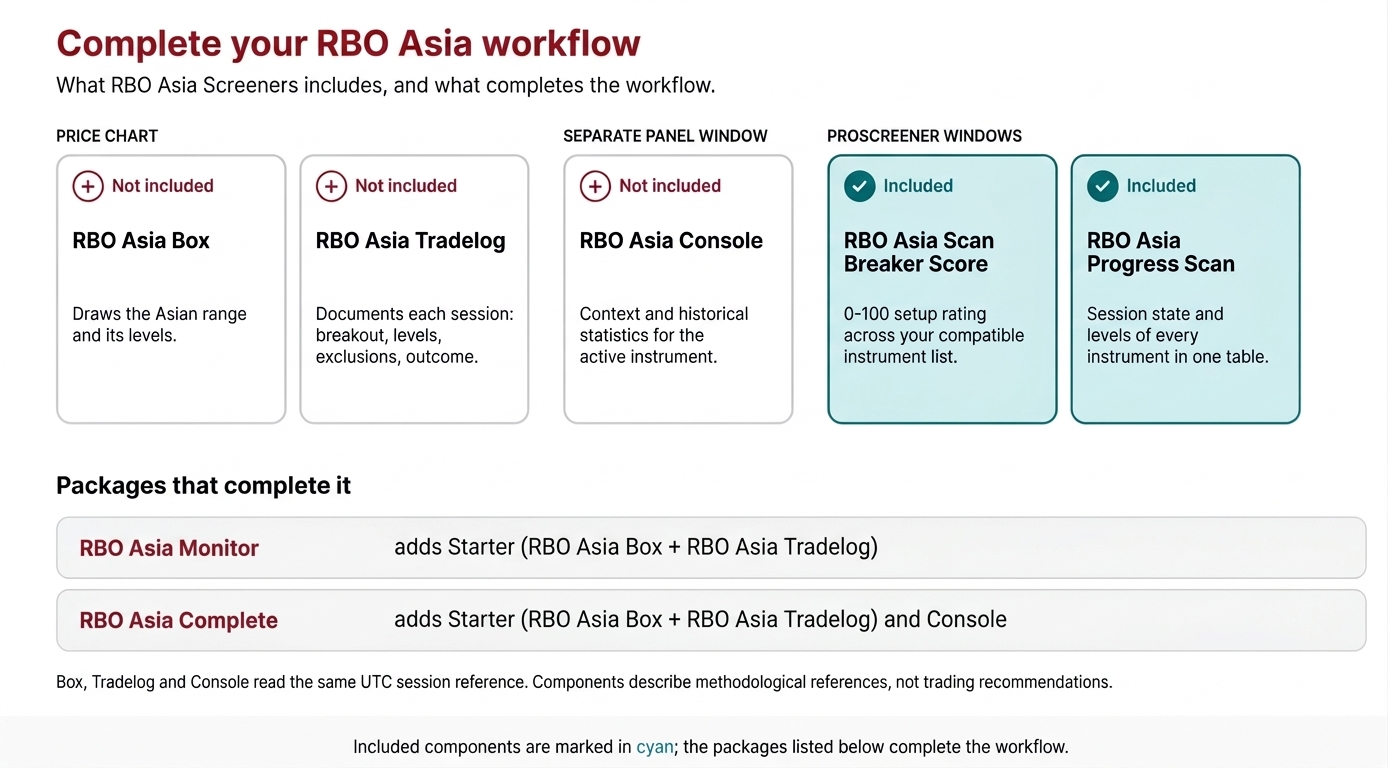
Reviews
There are no reviews yet.