
 QUICK &

Session Range, Visual Record & Technical Context
See the range. Follow the session. Read the context.
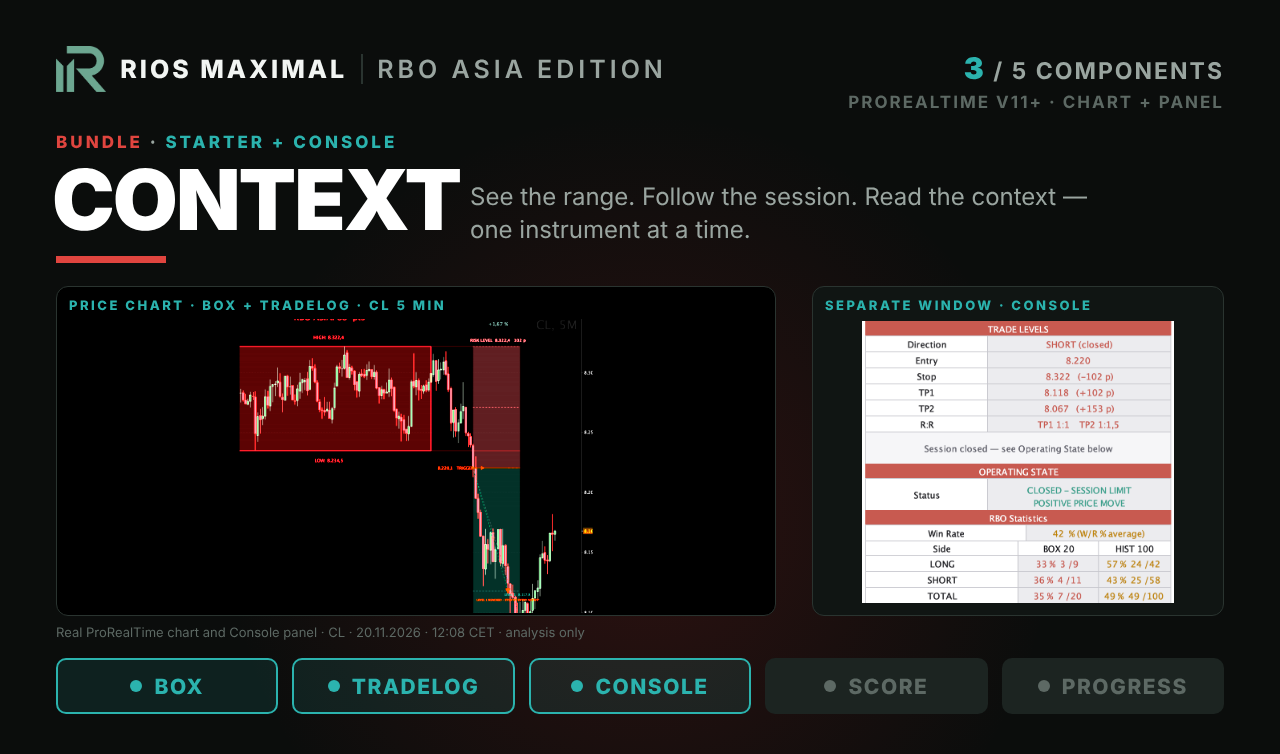
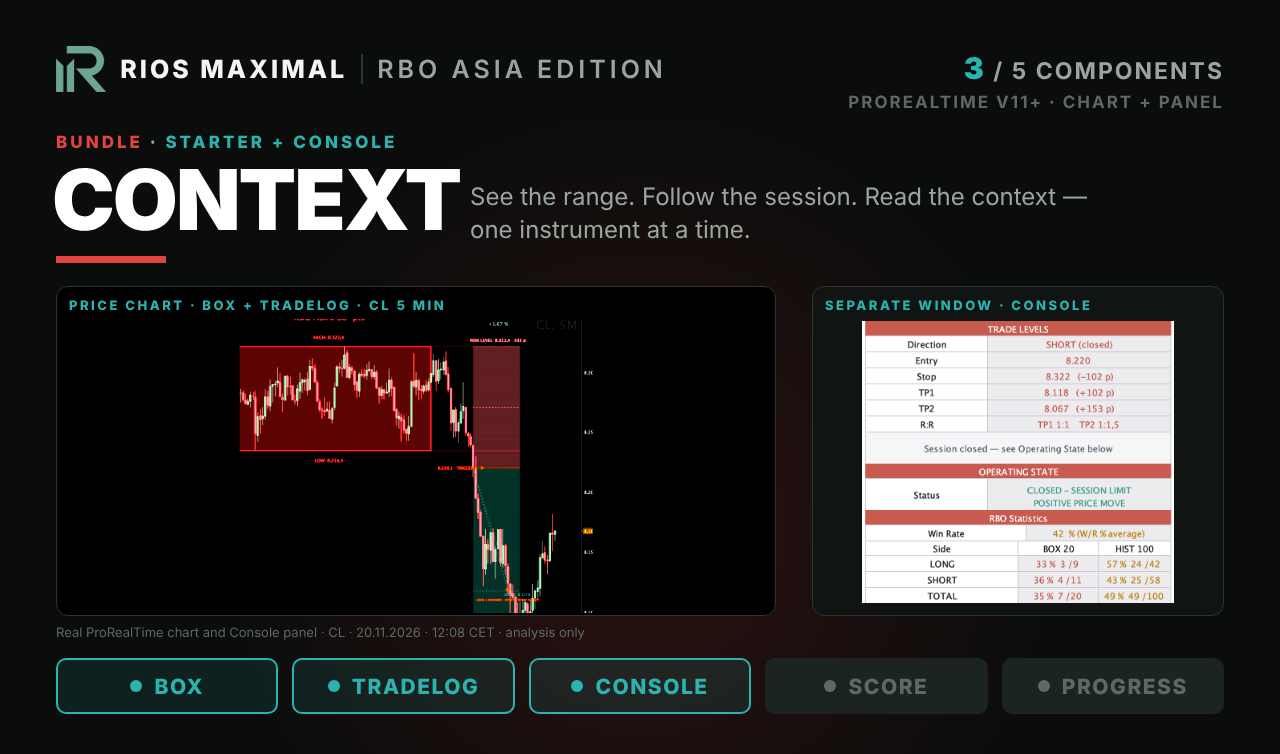
RBO Asia Context combines Box, Tradelog and Console for instrument-level Asian-session analysis.
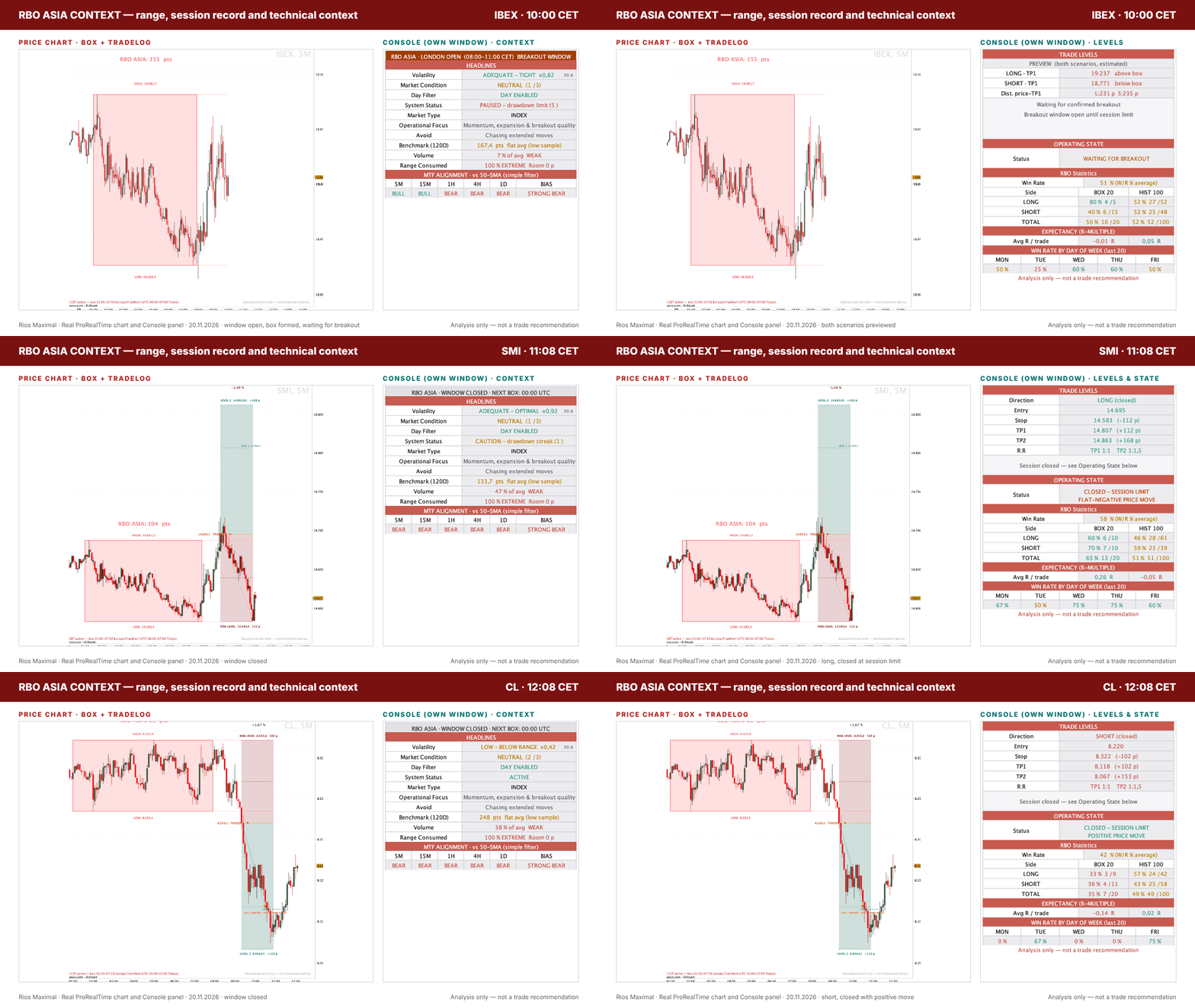
Box defines the Asian range. Tradelog documents the modelled session on the chart. Console adds technical context, multi-timeframe alignment, reference levels and historical win-rate readings in a dedicated indicator window.
Three complementary views of the same session—from range formation to historical review.
RBO Asia Box and Tradelog are included via Starter, which is part of Context. No previous purchase of Starter or Console is required.
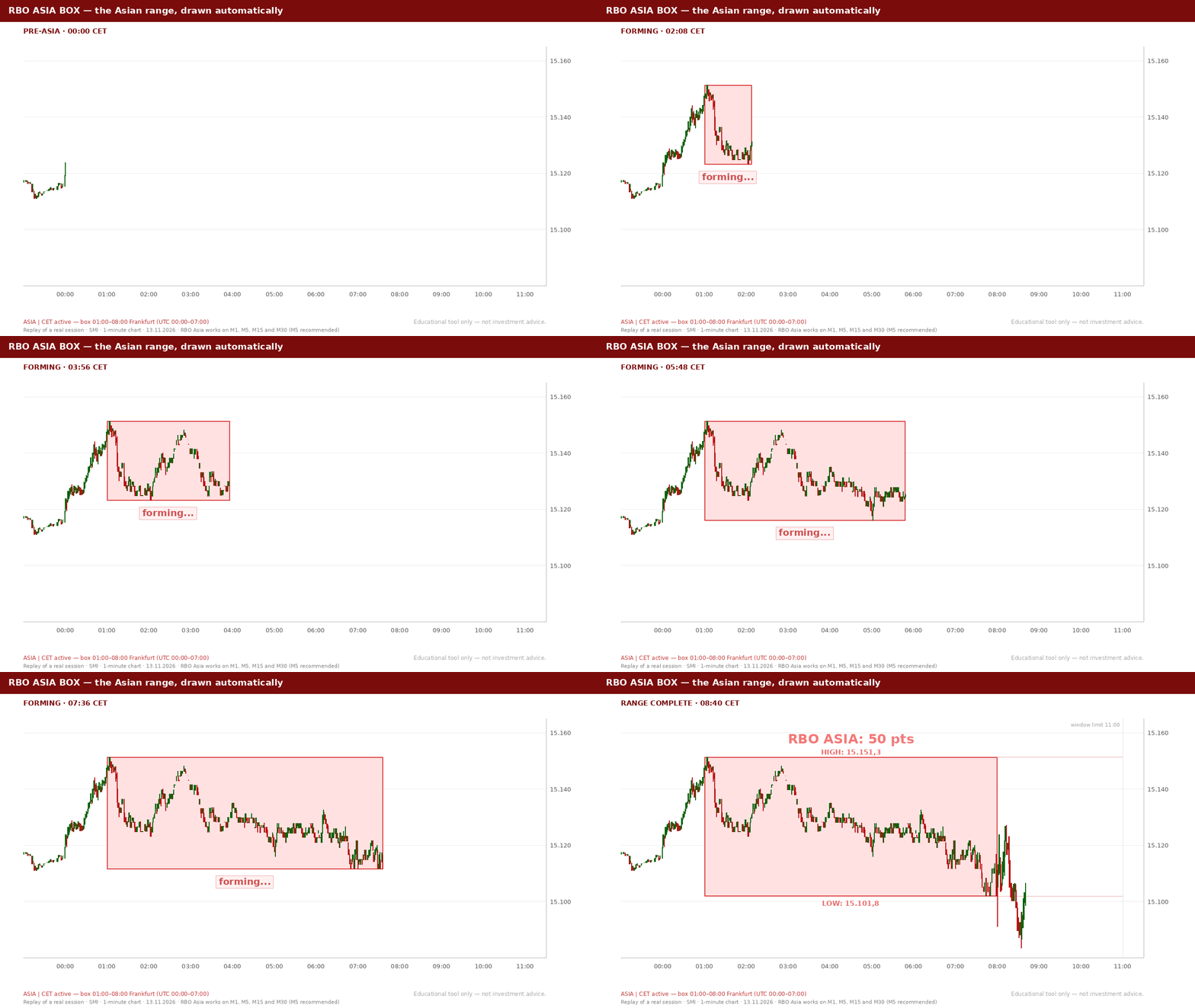
RBO Asia Box: range formation 01:00–08:00 CET and completed levels. Replay of a real session (SMI, 1-minute chart, 13.11.2026).
Three reasons to choose Context
1. Connect the range with what happens next
See the Asian range form, then follow the breakout and subsequent methodological states on the chart.
Box establishes the session reference. Tradelog documents the modelled operation’s development, filter exclusions and closing outcome.
2. Review the conditions around the breakout
Console brings the active instrument’s technical context and multi-timeframe alignment into a separate panel.
Review the time-of-day session phase, the modelled operation’s state and its available reference levels without treating them as interchangeable readings.
3. Review the session visually and statistically
Use Tradelog to review previous modelled sessions on the chart.
Use Console’s historical win-rate readings to examine previous outcomes under the methodology.
The visual record and statistical readings provide complementary perspectives. Neither predicts the next result.
What is included
| Component | Type | Main role |
|---|---|---|
| RBO Asia Box | Chart indicator | Displays the developing range, completed range boundaries, range size and historical session boxes |
| RBO Asia Tradelog | Chart indicator | Documents breakout events, methodological levels, filter exclusions, progression and closing outcomes |
| RBO Asia Console | Panel indicator | Displays session context, multi-timeframe alignment, modelled levels, operating state and historical win-rate readings |
Context brings Box, Tradelog and Console together in one package. No previous purchase of Starter or Console is required.
RBO Asia Context combines Starter (Box and Tradelog) with Console in one package. No previous purchase of Starter or Console is required.
How the components work together
Box — establish the reference
Box calculates and displays the Asian-session range.
During formation, its boundaries follow the developing high and low. After formation, the completed range provides the reference for subsequent analysis.
Previous session boxes support visual comparison with recent ranges.
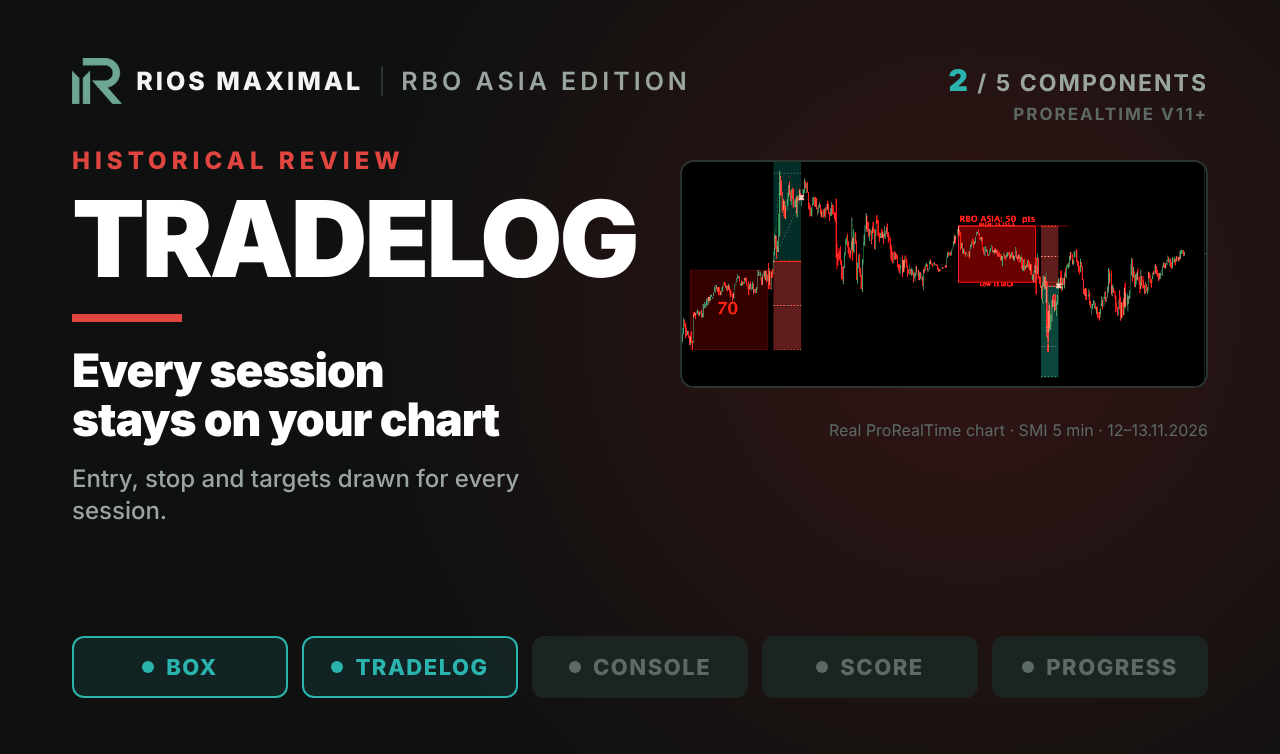
Tradelog — follow and review the session
Tradelog documents the session according to the RBO methodology.
Its chart-based record includes breakout direction, risk and target references, filter exclusions, progression and closing states. Risk and benefit zones help make the modelled operation’s development visible.
Review how previous sessions developed without manually reconstructing each displayed event.
Tradelog records model outputs—not orders executed in your brokerage account.
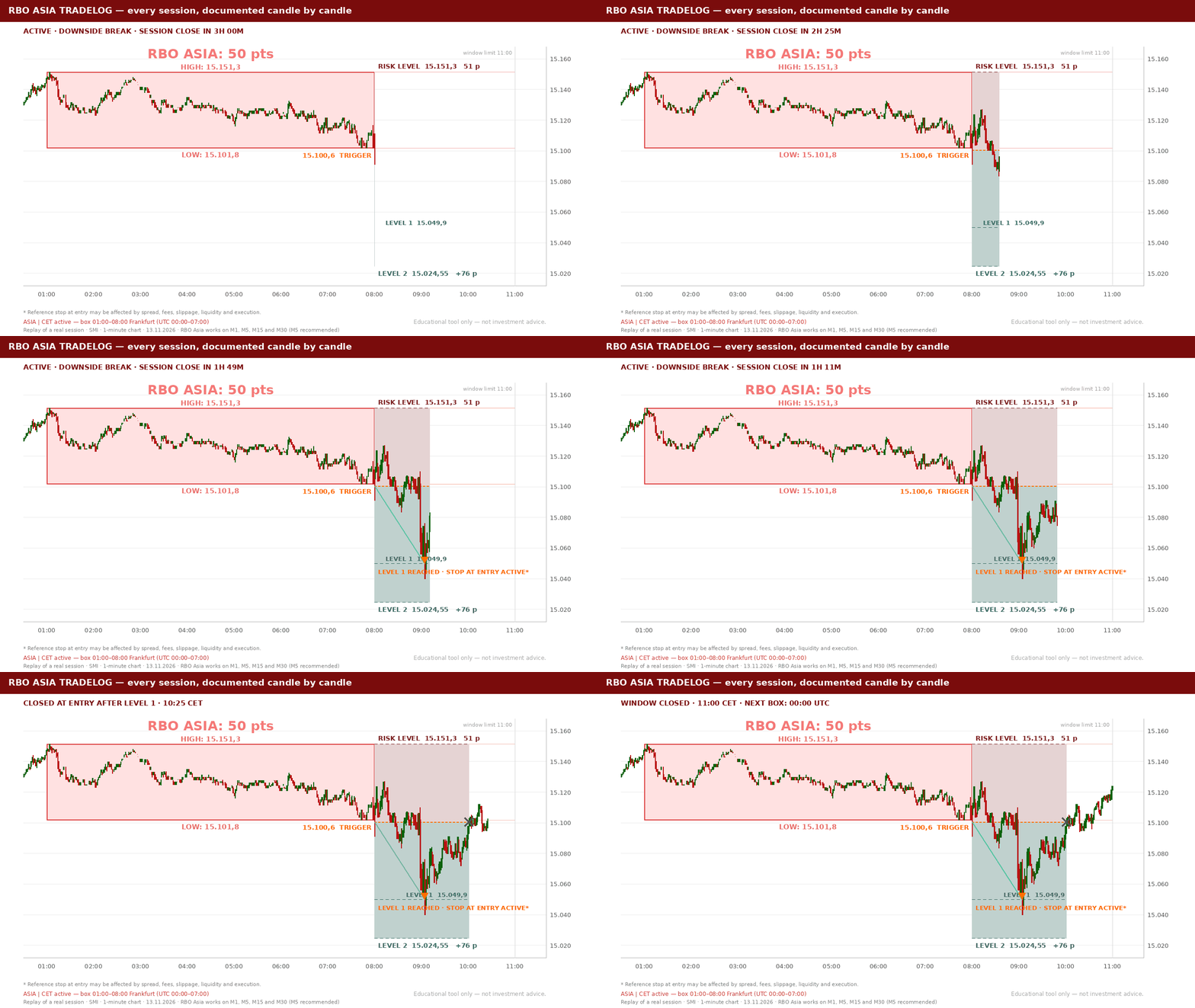
RBO Asia Tradelog: session documented from the 08:00 breakout to the 11:00 window limit. Replay of a real session (SMI, 1-minute chart, 13.11.2026).
Console — examine the context
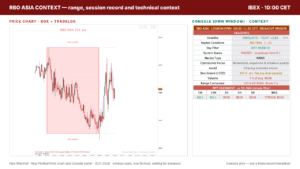
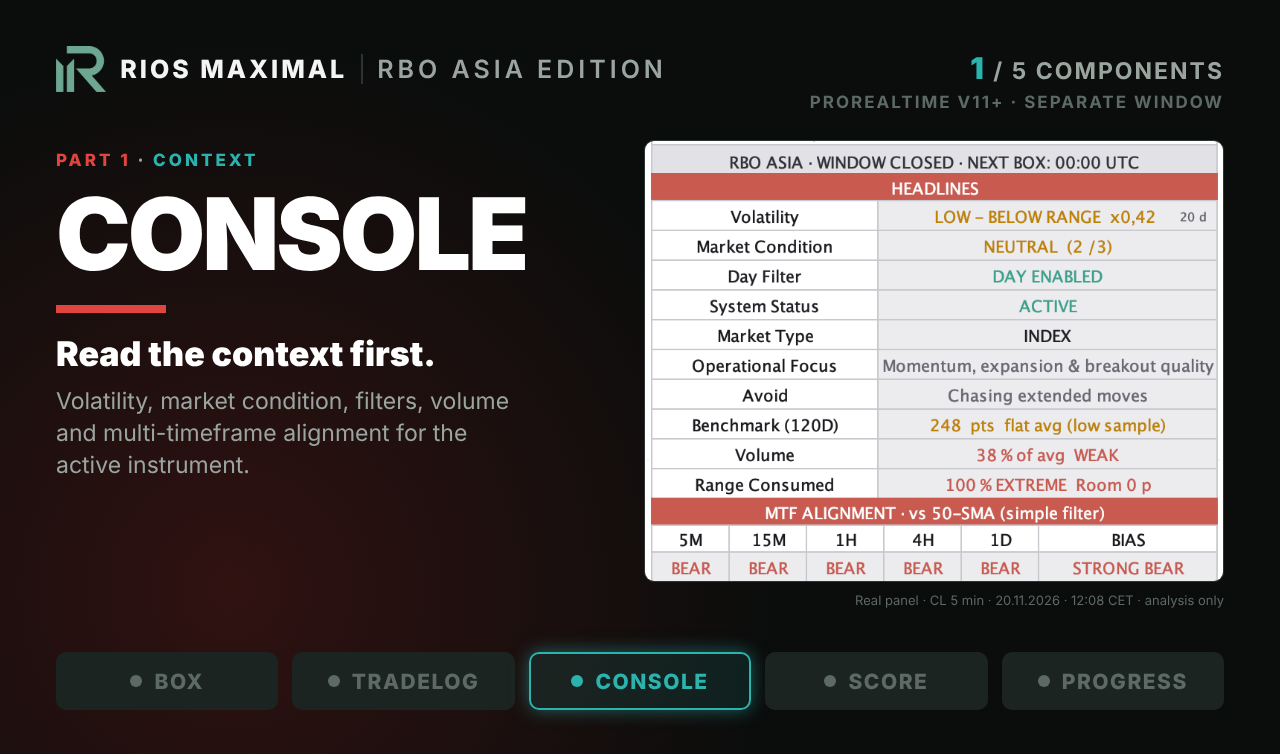
Console brings together contextual readings, multi-timeframe alignment, modelled levels and historical win-rate information for the active instrument.
Its five timeframe columns compare price with a 50-period simple moving average on 5M, 15M, 1H and 4H, and with an average of up to 200 daily closes on 1D. A separate Bias reading combines broader directional analysis; it is not simply a count of those five columns.
Console calculates its session range independently of Box. The indicators provide complementary views under the same documented session reference; the workflow does not imply direct data transfer between them.
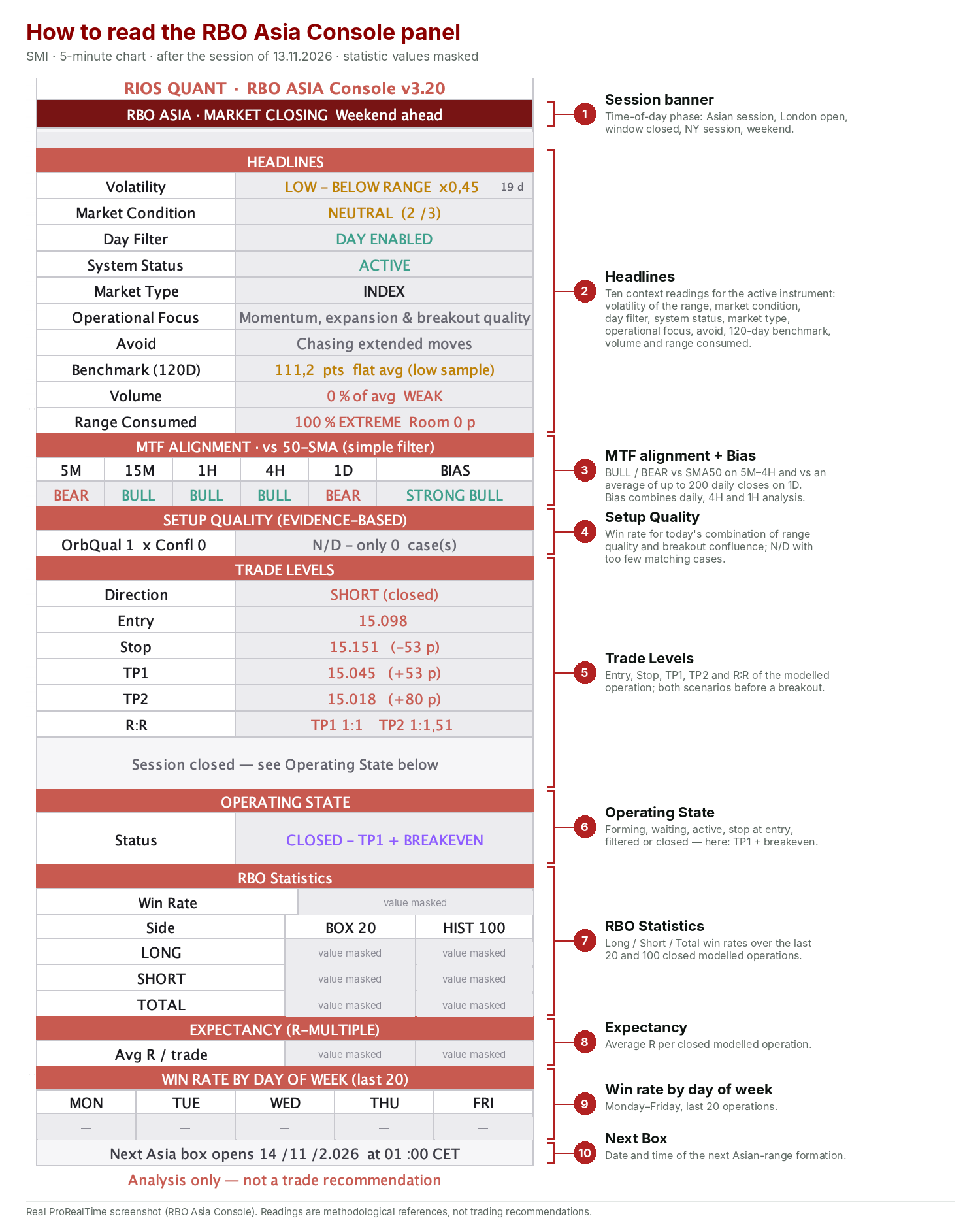
RBO Asia Console: how to read the panel. Real ProRealTime screenshot (SMI, 5-minute chart, session of 13.11.2026); statistic values masked.
A structured instrument-level workflow
During range formation
Observe the developing range in Box and review the contextual information available in Console.
After range completion
Inspect the completed range boundaries and any conditional directional scenarios displayed by Console.
The presence of Entry, Stop or target references in a preview does not confirm that a modelled operation has started.
Following a valid breakout
Use Tradelog to follow the visual session record and Console to review the operating state and surrounding technical context.
After closure
Review the documented session alongside the historical readings available for the instrument.
Trade selection, position sizing and execution remain the user’s responsibility.
Context badges are not entry controls
Console’s session banner describes the time-of-day context. Operating State describes the modelled operation.
In this edition, Day Filter and System Status are informational; their associated modelled-entry gates are disabled.
A CAUTION or PAUSED badge can therefore coexist with an active modelled operation. Read Operating State to identify the operation’s methodological state.
Contextual labels do not place, modify or close brokerage orders.
Historical review, with defined limits
Visual session history
Tradelog’s historical coverage depends on the chart data loaded and the script’s calculation and display limits.
The record describes how the methodology was applied to previous sessions. It is not a record of the user’s actual trades.
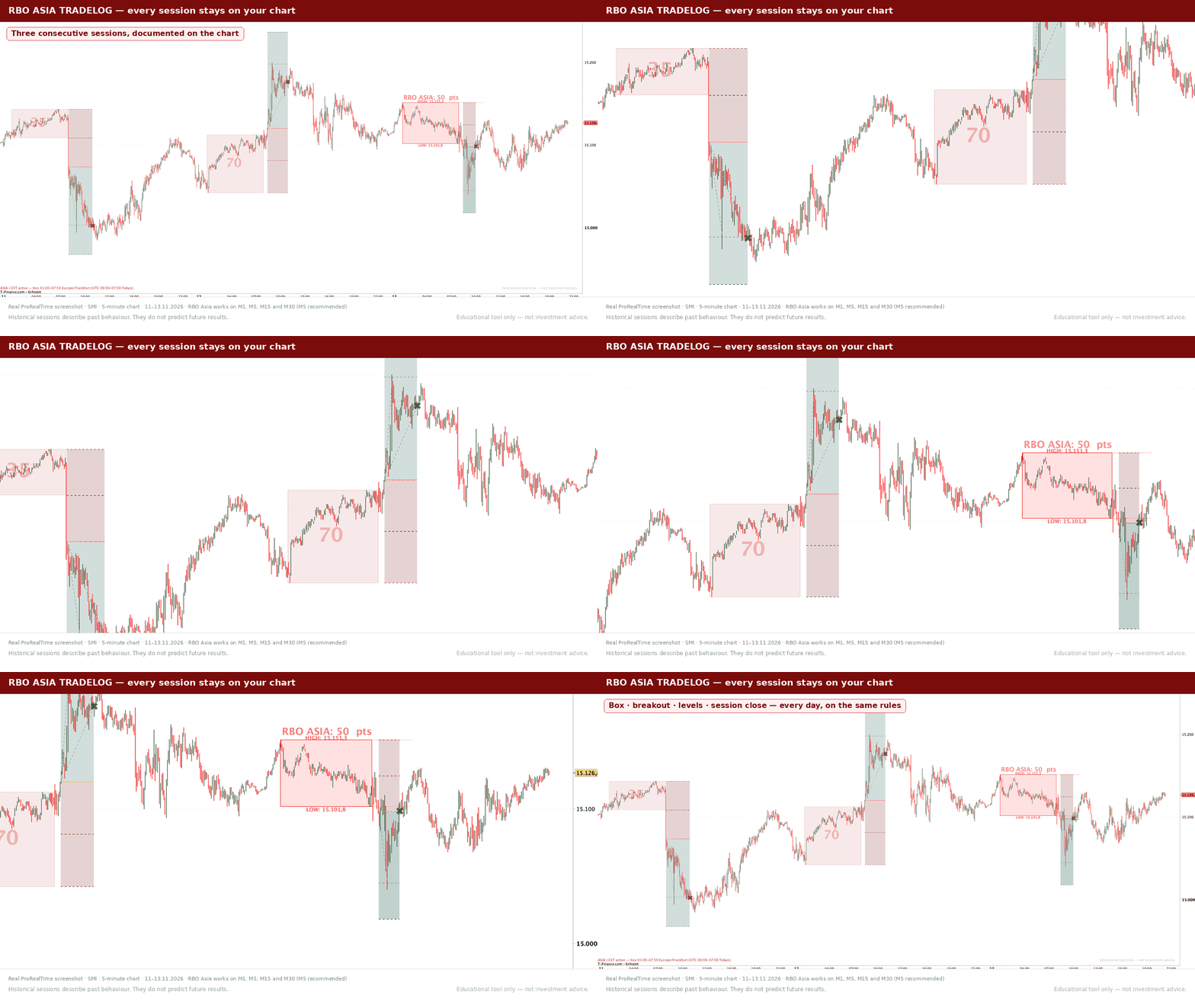
Three consecutive sessions documented on the chart. Real ProRealTime screenshot (SMI, 5-minute chart, 11–13.11.2026).
Historical win rates
Console provides Long, Short and Total win-rate readings within rolling samples of up to 20 and 100 closed modelled operations.
Only qualifying closed operations enter those samples. Sessions without a valid operation and filter exclusions are not counted as operations.
Console classifies an operation that reaches TP1 and subsequently closes its remaining position at Entry as a win under the methodology’s outcome rules.
A closure at the session limit is classified as a win when TP1 had already been reached, or when the closing price is beyond Entry in the operation’s direction.
This classification does not mean that the full position reached TP2 or generated a positive net return after trading costs.
The available history may contain fewer closed operations than the panel’s stated sample sizes.
Win rate measures the frequency of outcomes classified as wins. It does not, by itself, describe return magnitude or overall profitability.
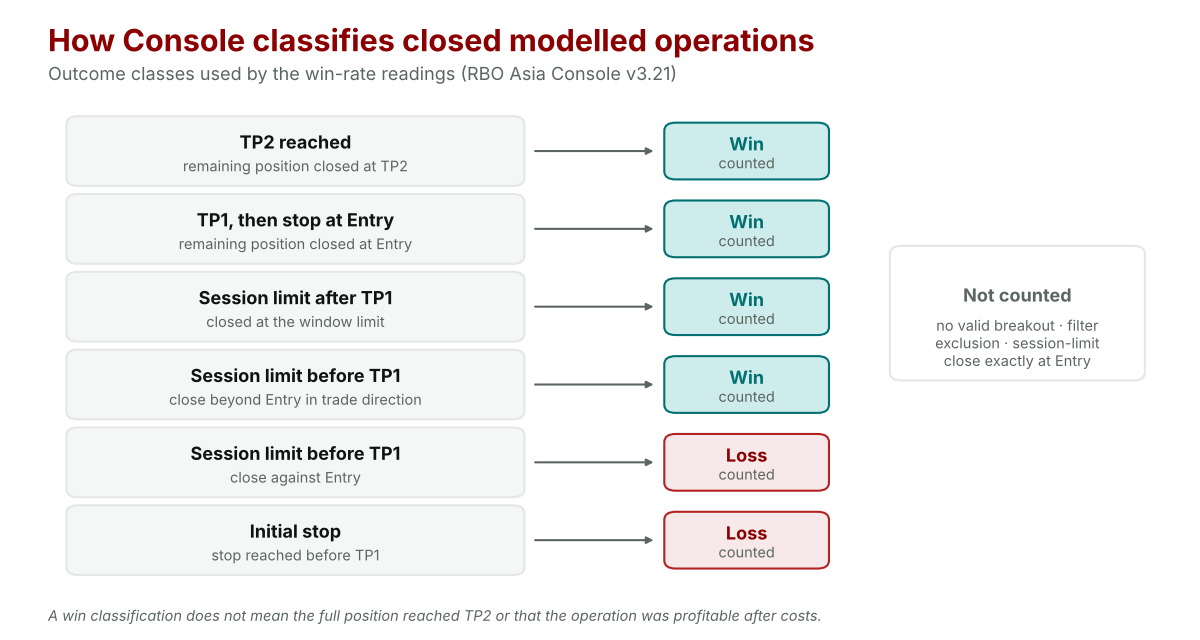
How RBO Asia Console classifies closed modelled operations for its win-rate readings.
Session reference
RBO Asia uses a fixed UTC session reference.
| Reference | Range formation | Methodological window limit |
|---|---|---|
| UTC | 00:00–07:00 | 10:00 |
| Frankfurt/Berlin — CET | 01:00–08:00 | 11:00 |
| Frankfurt/Berlin — CEST | 02:00–09:00 | 12:00 |
The technical documentation defines candle inclusion, timezone handling and the active configuration of each component.
Shared methodology
Box, Tradelog and Console have distinct roles within the RBO Asia ecosystem, each operating under the same session-reference methodology.
The release specification distinguishes methodological calculations, active filters and informational displays.
Who it is for
RBO Asia Context is designed for ProRealTime users who:
- Analyse one instrument at a time.
- Want range visualisation, session documentation and technical context together.
- Prefer a visible methodological process to isolated breakout markers.
- Review previous modelled sessions as part of their analysis.
- Want the chart-based Starter components alongside Console in one package.
Requirements and installation
| Requirement | Confirmed configuration |
|---|---|
| Platform | ProRealTime v11 or later |
| Chart timeframe | 5 minutes — M5 |
| Chart timezone | Europe/Berlin (summer and winter time are applied automatically) |
| Price-chart components | RBO Asia Box and RBO Asia Tradelog |
| Console display | Separate indicator window, configured manually by the user |
| Instruments and settings | Use the compatible instruments and configuration specified in the supplied documentation |
M5 is the confirmed common timeframe for the complete Context workflow.
Historical readings depend on the chart data loaded. Limited history may produce reduced samples, documented fallback estimates for contextual fields or unavailable readings. These situations must not be interpreted as equivalent.
After activating the component licences:
- Open a compatible instrument on a 5-minute chart.
- Add RBO Asia Box and RBO Asia Tradelog to the price chart.
- Add RBO Asia Console and manually configure it in a separate indicator window within your ProRealTime workspace.
- Apply the documented settings.
- Check the session reference, operating state and availability of the displayed readings.
Console’s separate-window layout is configured by the user. It is not applied automatically when the product is activated.
Console does not need Box to calculate its range.
Recommended layout
- Price chart: RBO Asia Box and RBO Asia Tradelog. It does not need a long history, which keeps it light for intraday analysis.
- RBO Asia Console: in a separate window on the same instrument. Adjust the number of loaded bars manually until the history covers 100 closed operations; the required amount depends on the instrument and timeframe.
Step-by-step installation guide: How to install my product in ProRealTime (official ProRealMarket guide).
Not included
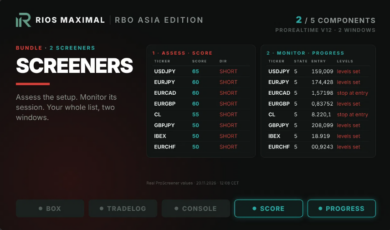
- RBO Asia Scan Breaker Score.
- RBO Asia Progress Scan.
Choose RBO Asia Complete to add both screeners for multi-instrument setup assessment and session monitoring.
What Context does not do
RBO Asia Context does not:
- Place, modify or execute orders.
- Monitor positions held in your brokerage account.
- Record actual fills or verified account performance.
- Recommend position size or capital allocation.
- Guarantee that a displayed target or stop can be executed at its reference price.
- Replace instrument-specific analysis or risk management.
Availability and subscription
RBO Asia Context — 149 € / year
Recurring 12-month subscription.
Includes:
- RBO Asia Box (included via Starter).
- RBO Asia Tradelog.
- RBO Asia Console.
Renewal, cancellation and licence-access conditions are stated at checkout.
Any permanent licences already issued retain their original conditions.
Support
For product support, use the support interface on the Rios Maximal store page in ProRealCode Market. No response or resolution deadline is promised in this listing. This does not limit any mandatory consumer rights.
Risk and methodological notice
RBO Asia Context is software for rule-based market analysis and documentation.
Displayed levels, states, records and statistics are calculated from defined rules and market data. They describe methodological assessments and modelled events—not executed orders or verified brokerage-account results.
A displayed stop does not determine position size or guarantee a maximum monetary loss. Moving a remaining stop reference to Entry does not guarantee zero-cost or loss-free execution.
Actual execution may differ because of spread, fees, slippage, gaps, liquidity and broker conditions.
The software does not execute orders or provide personalised investment advice. Historical observations and modelled outcomes do not guarantee future performance.
Bring the range, session record and technical context together
Box and Tradelog on the price chart. Console in its dedicated panel.
Complete your RBO Asia workflow
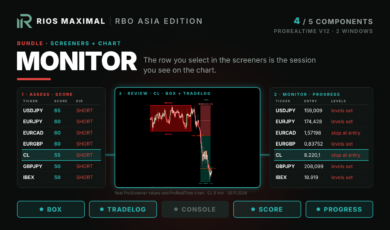
Each component covers a different part of the session under the same methodological reference: Box and Tradelog on the price chart, Console in its own window, and the two screeners across your instrument list. Each component calculates independently.
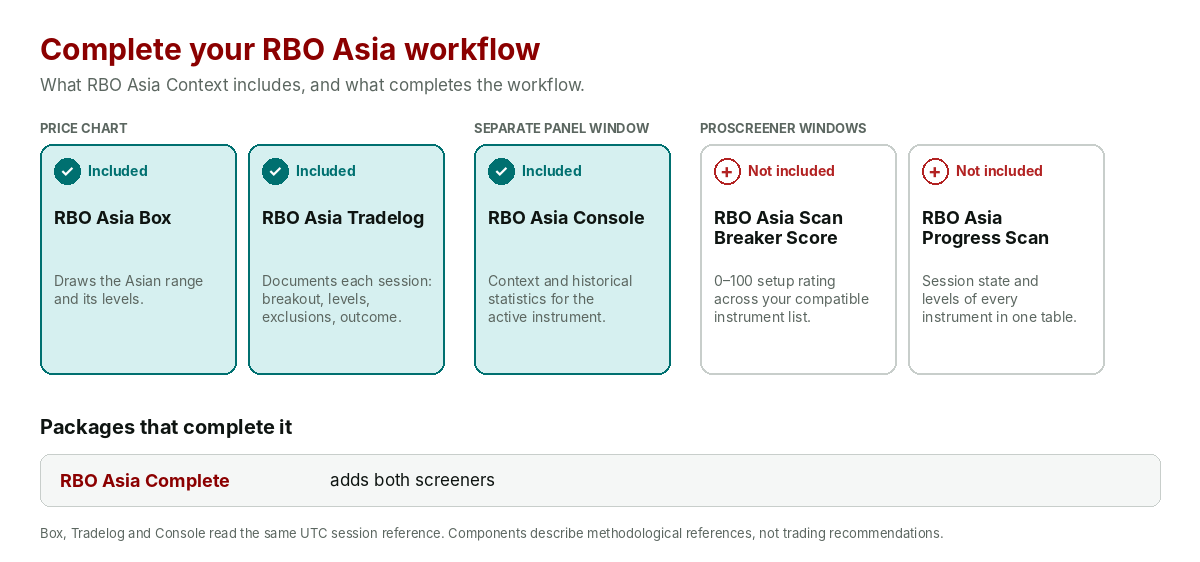
Included components are marked in cyan; the packages listed below complete the workflow.

Reviews
There are no reviews yet.