

 QUICK &



Bullish Support Indicator for ProRealTime
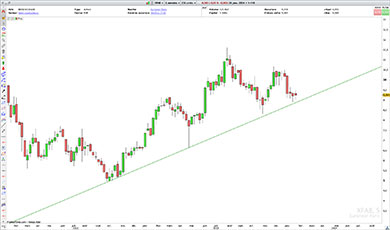
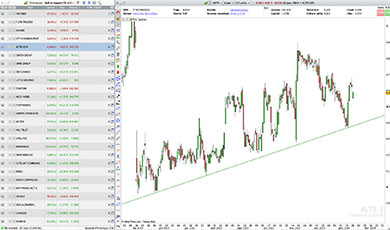
The Bullish Support Indicator automatically detects and displays ascending support trendlines directly on your ProRealTime candlestick charts.
An ascending support trendline connects several price lows and represents a dynamic support level. Traders can monitor stocks approaching this support or watch for a potential bearish breakdown below the trendline.
The Indicator saves time by detecting and drawing these support trendlines automatically, without requiring you to draw them manually.
Display Ascending Support Trendlines Automatically
The Indicator displays rising support trendlines directly on your price charts, making it easier to monitor:
- Stocks approaching an ascending support trendline.
- Price reactions near support.
- Potential bearish breakdowns below the trendline.
Several detection criteria and display options are available to adapt the Indicator to your trading preferences.
All settings can be adjusted directly through ProRealTime’s Configuration menu, without modifying the code.

Customizable Settings
Adjustable detection criteria:
- Number of candles analyzed.
- Maximum age of the second contact with support.
- Maximum distance between price and the ascending support trendline.
- Price movement amplitude used for trendline detection.
Available filters:
- Presence of a third contact with the support trendline.
- Short-term bearish trend moving toward support.
- Ongoing breakdown below the ascending support trendline.
Display options:
- Display ascending support as a segment or an extended line.
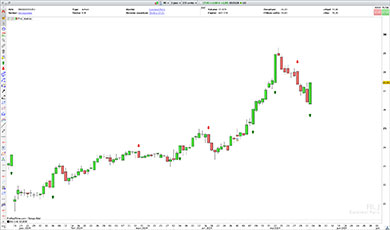
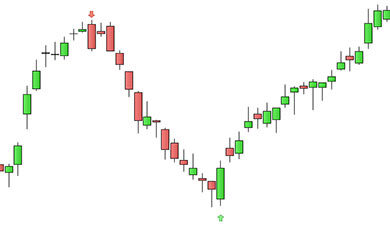
- Display the key contact points used to identify the support trendline.
Characteristics
- Works on all timeframes.
- Compatible with ProRealTime V11 and later versions.
- Compatible with the free version of ProRealTime (daily closing prices).
- Adjustable detection criteria and display options.
- Settings customizable without modifying the code.
- Free automatic updates.
Video Presentation
Video in French – English subtitles available.
Looking for Stocks Approaching Ascending Support Trendlines?
Want to find stocks approaching a rising support trendline or potentially breaking below it, according to your own trading criteria?
Discover our Bullish Support Screener to automatically scan the markets for these configurations.
The Indicator displays ascending support trendlines directly on your charts, while the Screener helps you find stocks matching your search criteria.
The Bullish Support Indicator is included with the Bullish Support Screener.
Reviews
There are no reviews yet.