

 QUICK &

Overview
The Pro Intraday Breakout Screener brings the logic of our Pro Daily Breakout Screener to every intraday timeframe and every market. Run it on stocks, futures, forex, indices or crypto, on 4h, 2h, 1h, 30 minutes or any timeframe you trade: it scans for instruments in tight volatility compression on that timeframe, the quiet before an expansion move. The bundle also includes the Central Pivot Range (Intraday) indicator, so you can plan entries, targets and stops on the same timeframe you scan.
The problem
Intraday breakouts move fast. By the time you spot a compression by scrolling through charts, the move has often already started. And many tools miss the many setups that form and resolve within the same session.
The solution
The screener does the scanning for you. In a few seconds it returns only the instruments whose last bars are coiling: tight ranges, nested pivot levels and inside bars, filtered for liquidity and real daily volatility.
Key features
- Any market: works on the ProScreener lists of stocks, futures, forex, indices and crypto available on your platform
- Any intraday timeframe: compression is measured bar by bar on the timeframe you scan, from minutes to hours
- Next-bar CPR analysis: detects when the next bar’s Central Pivot Range is nested and narrow, a classic precursor to expansion
- Multi-bar range compression: evaluates 2 to 10-bar ranges against their averages, plus inside bars, NR4 bars and body compression
- Daily liquidity and volatility filters: they stay on a daily basis, so your settings mean the same on every timeframe
- Optional trend filter: keeps only compressions forming inside an established trend, with the direction shown in its own column
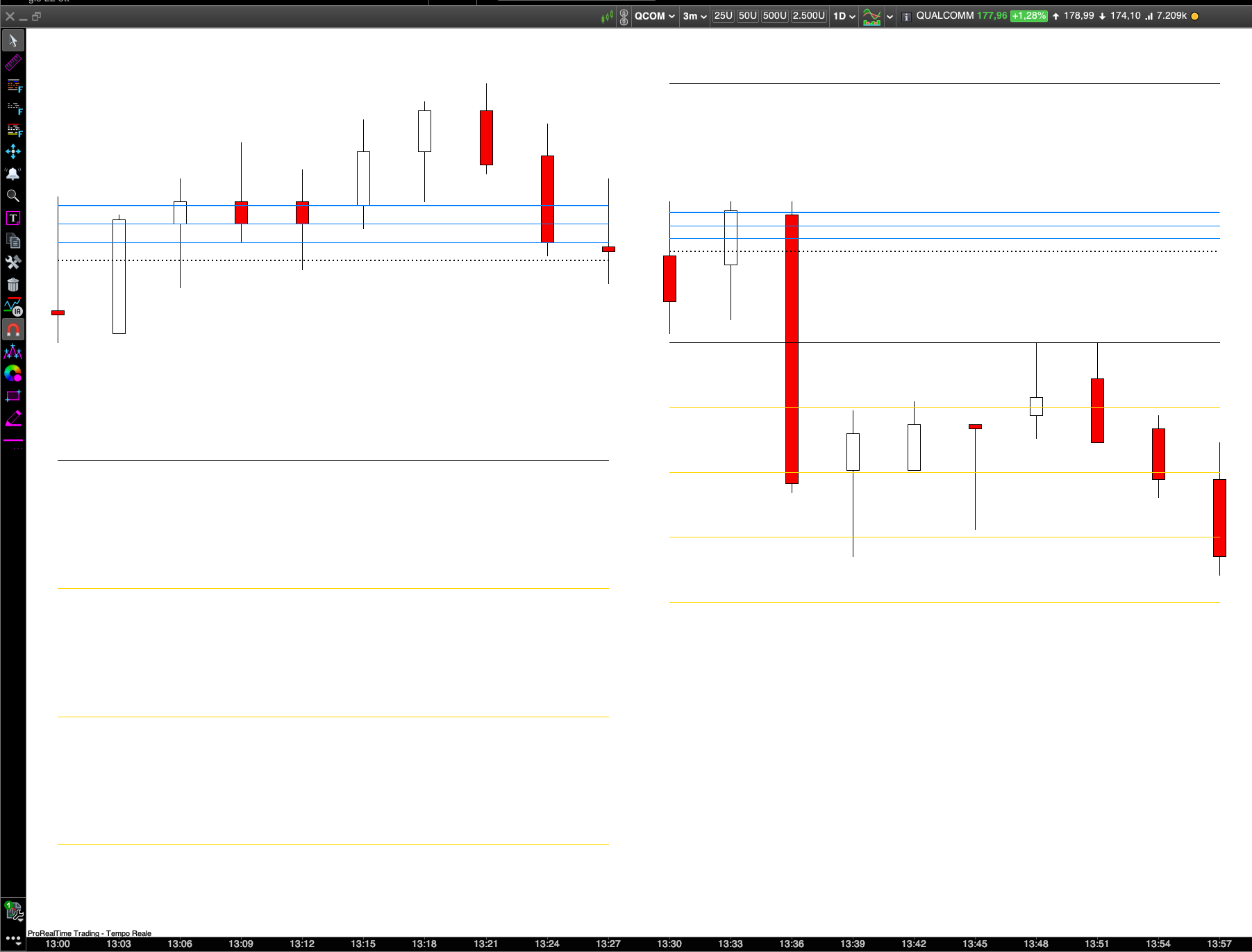
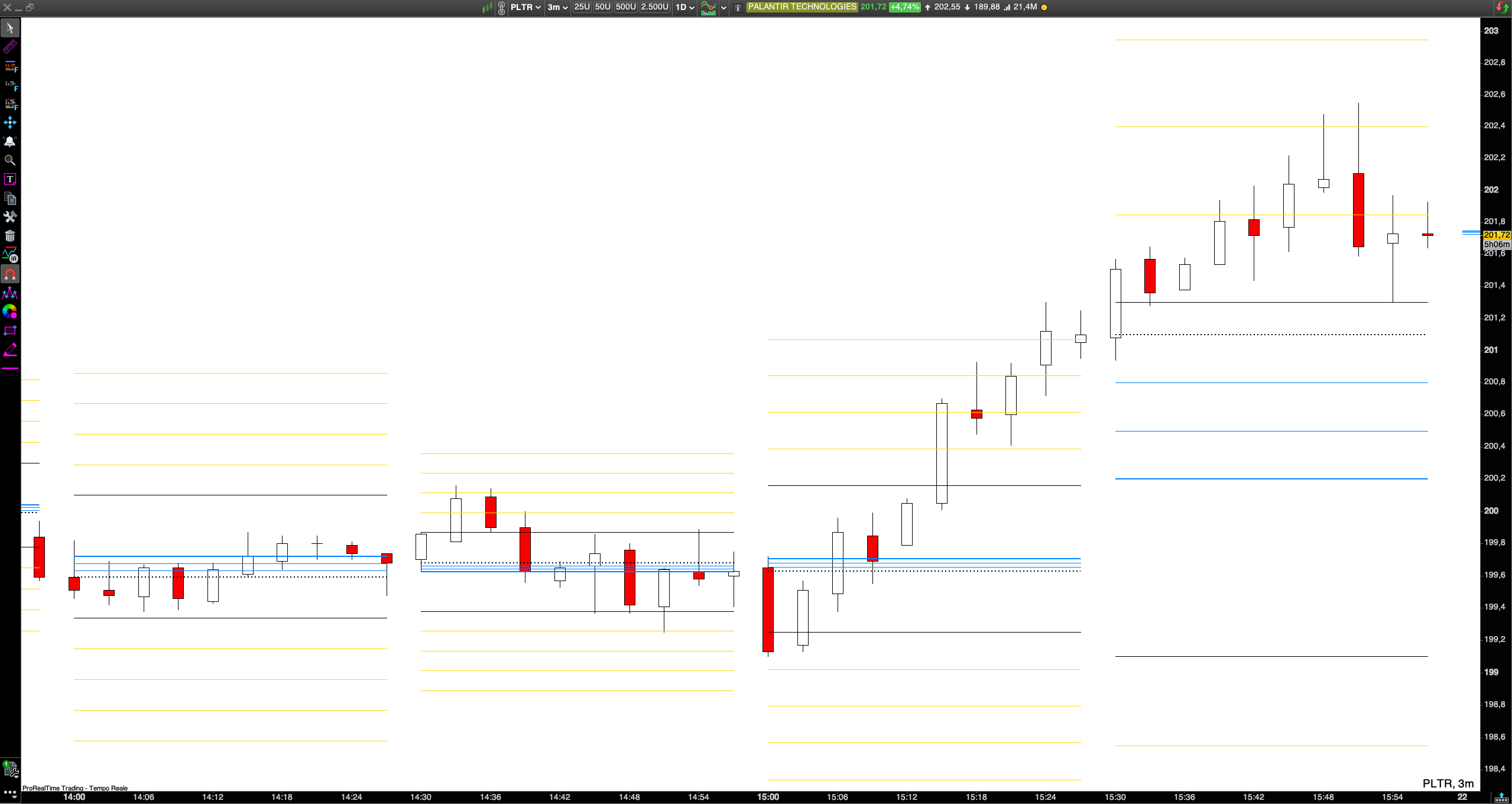
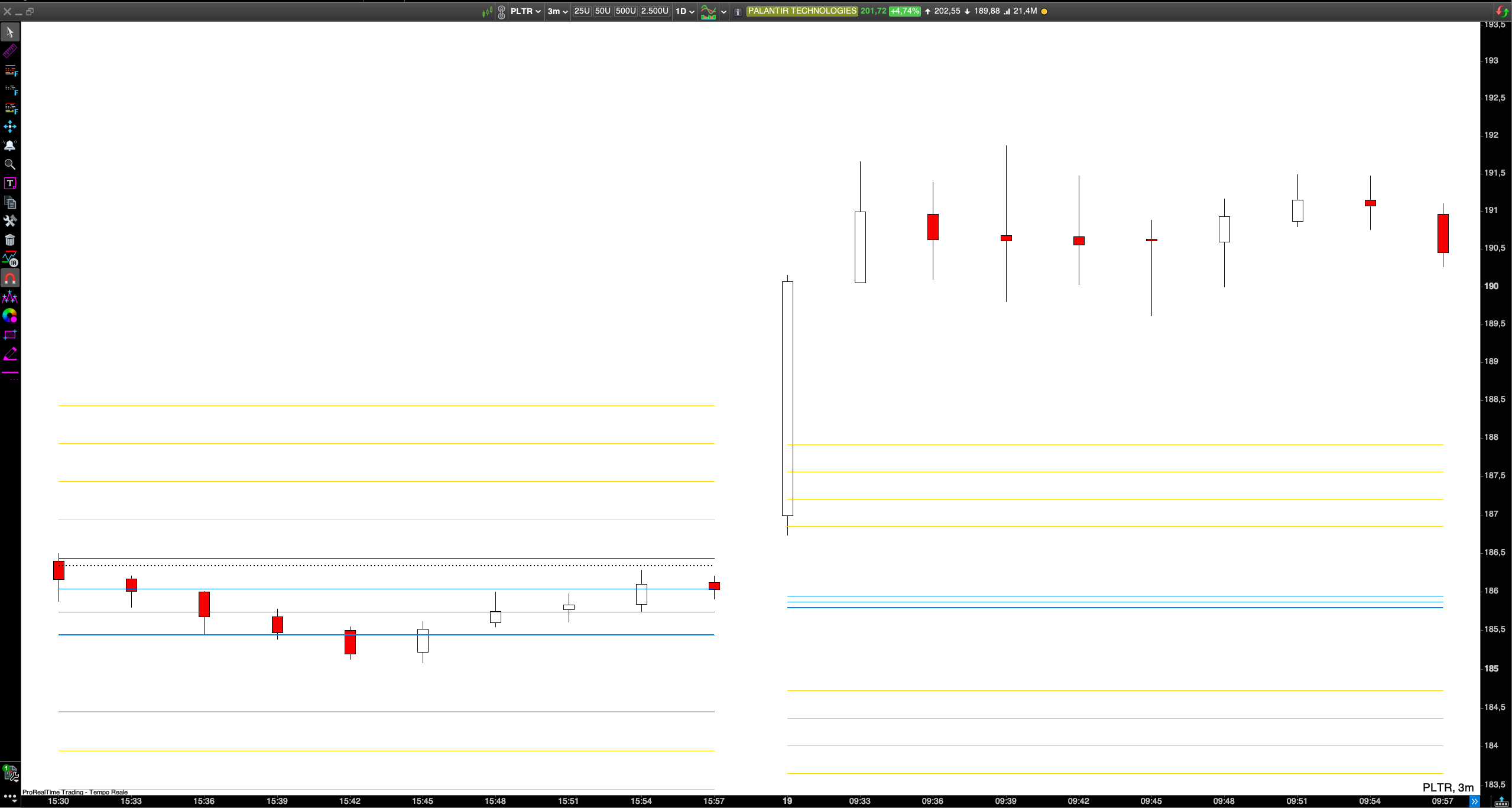
- Central Pivot Range (Intraday) included: CPR levels, previous block high/low/close and range extensions on any custom time block
Benefits for traders
- Prepare intraday watchlists in seconds instead of scanning charts manually
- Use one tool across all the markets you trade
- Find setups on the timeframe that fits your style, from scalping to intraday swing
- Trade with a directional bias when the trend filter is on
- Plan entries, targets and stops with the included Intraday CPR
Settings
- PERIOD: the timeframe the screener runs on. It can be any intraday timeframe (for example 15 minutes, 30 minutes, 1 hour, 2 hours or 4 hours), and compression is analyzed on that timeframe.
- MINPRICE / MAXPRICE: price range of the instruments to scan, in the instrument’s own price units
- VOL: minimum average daily volume, over 5 and 50 days
- ADR: minimum average daily range, in the instrument’s price units
- ADRRATIO: minimum average daily range as a % of price (for example 0.02 = 2%)
- TREND: when enabled, returns only compressions inside an established trend
Setting it up on different markets
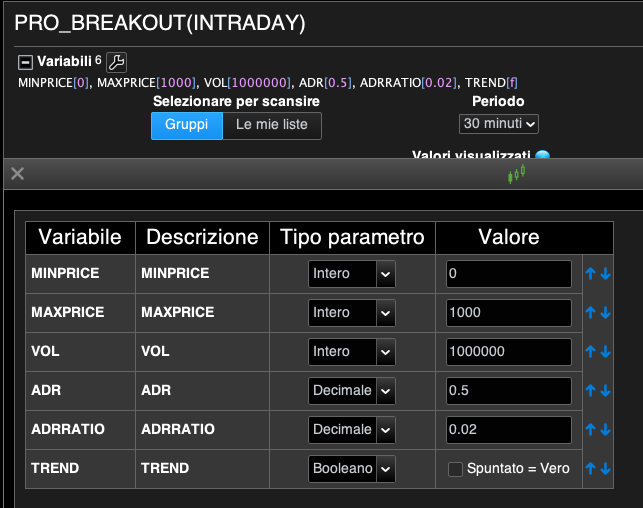
- Stocks: use MINPRICE, MAXPRICE, VOL, ADR and ADRRATIO to keep only liquid, tradable names.
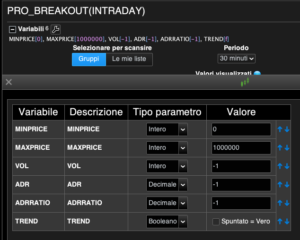
- Futures, forex, indices and crypto: set MINPRICE to 0, MAXPRICE to a high value (for example 1000000), and VOL, ADR and ADRRATIO to -1. This switches the daily filters off, while the compression logic keeps working exactly the same, because every bar is measured against the instrument’s own average.
Any market without volume data can be scanned by setting VOL to -1. All other filters keep working as usual.
Settings example for US Stocks:
Settings example for other assets:
Recommended setup: screener + Intraday CPR
The screener finds the compression on the PERIOD you choose. Then you plot the Central Pivot Range (Intraday) on your execution chart, using that same period as the CPR block. This way the CPR levels on your chart are built from exactly the bars the screener analyzed, and the breakout you are waiting for is the break of those levels.
- CPRMODE = the screener’s PERIOD in minutes
- TFMINUTES = the timeframe of your execution chart, which should be lower than the PERIOD
Examples:
- Screener on 1 hour → Intraday CPR with CPRMODE 60 on a 5-minute chart (TFMINUTES 5)
- Screener on 30 minutes → CPRMODE 30 on a 2 or 3-minute chart
- Screener on 4 hours → CPRMODE 240 on a 15-minute chart
Results
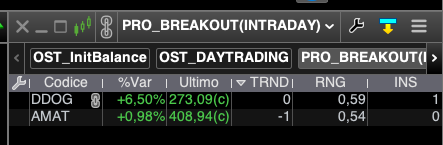
- TRND: trend direction on the scanned timeframe (1 = uptrend, -1 = downtrend, 0 = no defined trend)
- RNG: range of the current bar compared with its 10-bar average
- INS: number of consecutive inside bars (up to 3)
Results Example on US Stocks:
When to run the scan
The screener evaluates the bar currently forming on the PERIOD you choose. That’s how it lets you spot a setup before the bar closes, ready to trade the breakout in the next one. For this reason, run the scan in the last minutes of the bar.
Example: with PERIOD set to 1 hour, run the scan at around 11:55–11:58 to find the stocks compressing in the 11:00–12:00 bar. Then trade the breakout during the 12:00–13:00 bar, using the Intraday CPR levels on your execution chart.
- 1 hour: run it 2–5 minutes before the hour closes
- 4 hours: run it 5–10 minutes before the 4-hour bar closes
- Lower timeframes: run it in the final minute of the bar
Avoid running the scan early in a bar. A bar that has just opened has a very small range, so it will look compressed even when it isn’t, and the results won’t be reliable.
The TREND flag
With TREND enabled, an instrument passes only if the EMAs are stacked and sloping in the same direction, and price is on the right side of a rising or falling 200-period SMA. Compressions inside a trend are typically pauses (flags or tight consolidations) and tend to resolve in the direction of the trend. The TRND column tells you which side to trade without opening the chart.
Bonus: Central Pivot Range (Intraday)
The included indicator recalculates the Central Pivot Range at the start of each custom time block (15 minutes, 30 minutes, 1 hour or any length you choose) from the previous block’s high, low and close. It also plots the previous block’s levels and range extensions at 25%, 50%, 75% and 100%. A NEXTCPR option previews the developing CPR of the next block. Session start and end are fully configurable, including overnight futures sessions and 24-hour forex and crypto markets.
Who can use it
- Day traders and scalpers on stocks, futures, forex, indices and crypto
- Intraday swing traders working on 1h to 4h charts
- Users of the Pro Daily Breakout Screener who want the same edge on lower timeframes and more markets
Compatibility
Requires ProRealTime v11 or later. A real-time data subscription for the markets you scan is required: the scan must run in the final minutes of each bar, and with delayed data the bar you see is not the one currently forming. On intraday timeframes the scan uses roughly 220 bars of history, within the standard ProScreener limit.
Reviews
There are no reviews yet.